Claude Skills Complete Guide: From Project Implementation to Practical Know-How
A practical guide documenting the journey from introducing Claude Agent Skills to real-world implementation, including trials, errors, and achievements. Learn how to specialize AI agents through folder-based modularization.
Overview
On October 16, 2025, Anthropic announced Agent Skills, a revolutionary feature that goes beyond simple prompt engineering by structuring AI agent expertise through files and folders - a completely new paradigm.
In this article, I share the trials, errors, solutions, and practical know-how from applying Claude Skills to my blog automation project. This isn’t just a feature overview, but lessons learned with actual code.
What are Agent Skills?
Core Concept
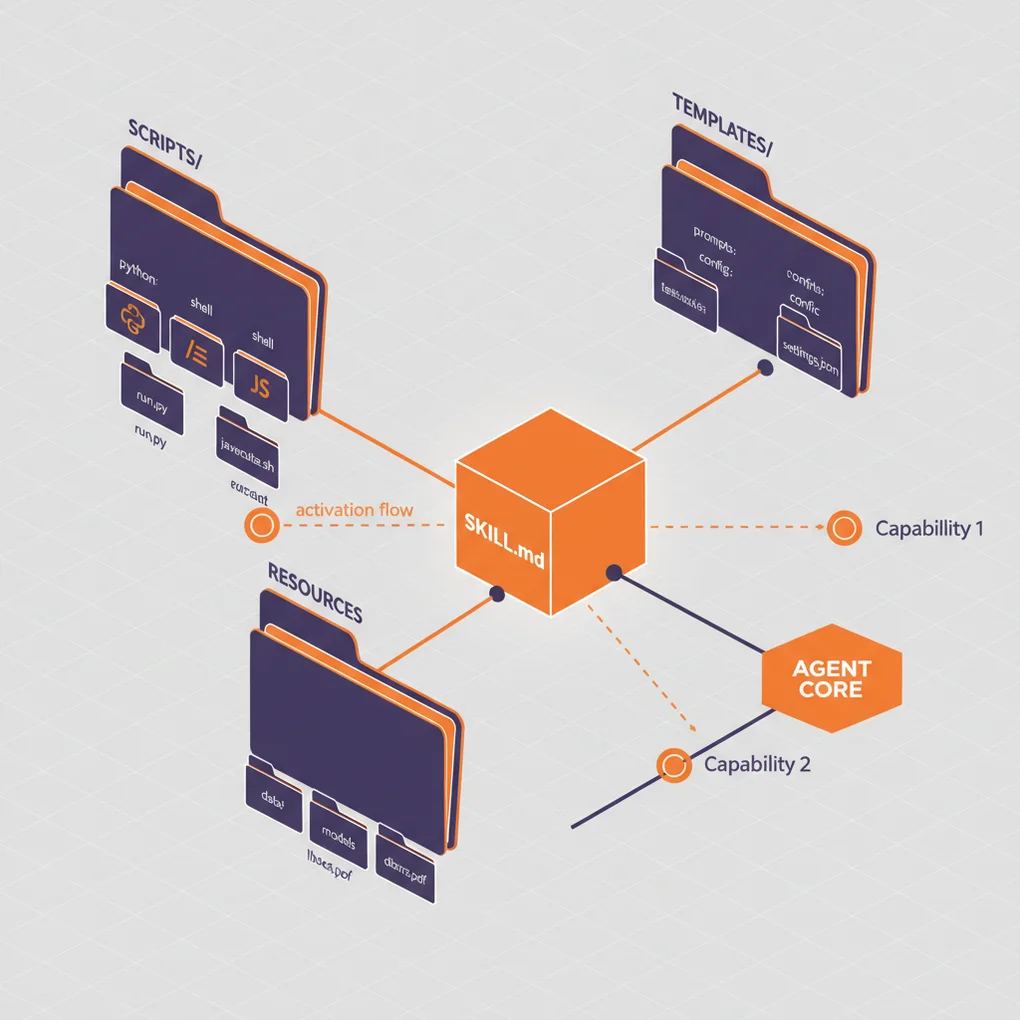
Agent Skills are a way to package expertise using the file system. Instead of putting all instructions in a system prompt, you now organize them as:
my-skill/
├── SKILL.md          # Core instructions (required)
├── reference.md      # Detailed reference (optional)
├── examples.md       # Example collection (optional)
├── scripts/          # Executable code (optional)
│   └── helper.py
└── templates/        # Template files (optional)
    └── template.txt
This organized folder structure makes management much easier.
Difference from Traditional Approach
Traditional Approach (System Prompt):
You are a blog writing expert.
1. Generate SEO-optimized titles
2. Validate metadata
3. Create multi-language content
...
(All instructions concentrated in one place)
Skills Approach:
---
name: Blog Writing Assistant
description: Write SEO-optimized blog posts with multi-language support. Use when creating blog content or managing posts.
---

# Blog Writing Assistant

## Instructions
1. Read [seo-guidelines.md](seo-guidelines.md) for title/description rules
2. Check [content-structure.md](content-structure.md) for post format
3. Use scripts/generate_slug.py for URL-friendly slugs

## Quick Start
```bash
python scripts/validate_frontmatter.py post.md
```
Key Differences:
- Modularization: Files separated by concern
- Progressive Loading: Only necessary files loaded into context
- Code Execution: Direct Python/Bash script execution
- Reusability: Shareable across the entire team
Progressive Disclosure
The core philosophy of Skills is 3-level information disclosure:
graph TD
    A[Level 1: Metadata] --> B{Claude Judges Relevance}
    B -->|Yes| C[Level 2: Load SKILL.md]
    B -->|No| D[Skip]
    C --> E{Additional Info Needed?}
    E -->|Yes| F[Level 3: Read Linked Files]
    E -->|No| G[Perform Task]
    F --> G
Level 1 - Metadata (Loaded at Startup):
name: PDF Processing
description: Extract text, fill forms, merge PDFs...
Level 2 - SKILL.md (Loaded When Needed):
## Quick Start
Extract text:
...
For form filling, see [FORMS.md](FORMS.md)
Level 3 - Additional Files (Loaded for Detailed Work):
# FORMS.md
Detailed form filling instructions...
This structure allows efficient context window usage while providing virtually unlimited information.
Project Background: Why Skills Were Needed
Limitations of the Existing System
My blog automation system used multiple subagents in the .claude/agents/ directory:
.claude/agents/
├── web-researcher.md
├── content-planner.md
├── writing-assistant.md
└── seo-optimizer.mdProblems:
- Duplication Across Agents: Multiple agents repeatedly referencing SEO guidelines
- Context Waste: Entire agent files loaded into system prompt
- Maintenance Difficulty: Guideline changes require modifying multiple files
- No Code Reuse: No way to directly execute Python scripts
Solving with Skills
After introducing Skills:
.claude/skills/
├── blog-writing/
│   ├── SKILL.md
│   ├── seo-guidelines.md       # Common reference
│   ├── frontmatter-schema.md
│   └── scripts/
│       ├── validate_date.py
│       └── generate_slug.py
└── content-recommendation/
    ├── SKILL.md
└── analyze_similarity.pyImprovements:
- Single Source of Truth: SEO guidelines in one place only
- Efficient Loading: Only necessary files loaded
- Code Execution: Date validation, slug generation automated with Python
- Team Sharing: Distributable to team members via git
Creating the First Skill: Blog Writing Skill
Step 1: Create Directory
mkdir -p .claude/skills/blog-writing
cd .claude/skills/blog-writing
Step 2: Write SKILL.md
---
name: Blog Writing Assistant
description: Create SEO-optimized multi-language blog posts with proper frontmatter, hero images, and content structure. Use when writing blog posts, creating content, or managing blog metadata.
allowed-tools: Read, Write, Edit, Bash, Grep, Glob
---

# Blog Writing Assistant

This Skill automates the entire blog post creation process.

## Core Features

1. **Frontmatter Validation**: Date format, required field checks
2. **SEO Optimization**: Title/description length validation
3. **Multi-language Support**: Simultaneous Korean, English, Japanese generation
4. **Slug Generation**: Automatic URL-friendly filename creation

## Workflow

### 1. Determine Date
```bash
python scripts/get_next_pubdate.py
```

### 2. Validate Frontmatter
See [frontmatter-schema.md](frontmatter-schema.md) for detailed rules.

Required fields:
- title (optimal length per language in [seo-guidelines.md](seo-guidelines.md))
- description
- pubDate (format: 'YYYY-MM-DD', single quotes required)
- heroImage
- tags (array, lowercase, hyphens only)

### 3. Content Structure
Follow template in [content-structure.md](content-structure.md).

### 4. Validation
```bash
python scripts/validate_frontmatter.py en/my-post.md
```

## Best Practices

- Follow SEO guidelines for titles
- pubDate always latest post + 1 day
- heroImage uses ../../../assets/blog/ path
- Use quadruple backticks when code blocks contain triple backticks
Step 3: Add Supporting Files
seo-guidelines.md:
# SEO Guidelines

## Optimal Title Length
- Korean: 25-30 characters
- English: 50-60 characters
- Japanese: 30-35 characters

## Optimal Description Length
- Korean: 70-80 characters
- English: 150-160 characters
- Japanese: 80-90 characters

## Keyword Strategy
...scripts/get_next_pubdate.py:
#!/usr/bin/env python3
"""
Find the latest blog post pubDate and return +1 day
"""
import os
import re
from datetime import datetime, timedelta
from pathlib import Path

def find_latest_pubdate():
    blog_dir = Path("src/content/blog/en")
    latest_date = None

    for md_file in blog_dir.glob("*.md"):
        content = md_file.read_text(encoding='utf-8')
        match = re.search(r"pubDate:\s*['\"](\d{4}-\d{2}-\d{2})['\"]", content)

        if match:
            date_str = match.group(1)
            date_obj = datetime.strptime(date_str, "%Y-%m-%d")

            if latest_date is None or date_obj > latest_date:
                latest_date = date_obj

    if latest_date:
        next_date = latest_date + timedelta(days=1)
        return next_date.strftime("%Y-%m-%d")

    return None

if __name__ == "__main__":
    next_date = find_latest_pubdate()
    if next_date:
        print(f"'{next_date}'")  # Include single quotes in output
    else:
        print("No existing posts found")
Step 4: Grant Execute Permissions
chmod +x scripts/*.pyTrials, Errors, and Solutions
Problem 1: Claude Not Using the Skill
Symptom:
User: Write a blog post
Claude: (Responds normally without using Skill)Cause: Description was too vague
description: Helps with blog postsSolution:
description: Create SEO-optimized multi-language blog posts with proper frontmatter, hero images, and content structure. Use when writing blog posts, creating content, or managing blog metadata.Lesson: Description must specify both what it does + when to use it
Problem 2: YAML Parsing Error
Symptom:
Error: Invalid frontmatter in SKILL.mdCause: Special characters after colon without quotes
description: Use when: creating posts # ❌ Second colon is the issueSolution:
description: "Use when: creating posts" # ✅ Wrap in quotesLesson: Always use quotes in YAML when including special characters
Problem 3: Script Execution Failure
Symptom:
PermissionError: [Errno 13] Permission denied: 'scripts/validate.py'Cause: Execute permission not granted
Solution:
chmod +x .claude/skills/blog-writing/scripts/*.pyAdditional Tip: Add shebang for Windows compatibility
#!/usr/bin/env python3Problem 4: File Path Error
Symptom:
FileNotFoundError: [Errno 2] No such file or directory: 'reference.md'Cause: Incorrect relative path specification in SKILL.md
See [reference.md](../reference.md) # ❌Solution:
See [reference.md](reference.md) # ✅ Same directoryLesson: All paths are relative to SKILL.md
Problem 5: Duplicate Skill Conflict
Symptom: Claude selects the wrong Skill among multiple options
Cause: Two Skills with similar descriptions
# Skill 1
description: For data analysis

# Skill 2
description: For analyzing dataSolution: Differentiate with clear trigger keywords
# Skill 1
description: Analyze sales data in Excel files and CRM exports. Use for sales reports, pipeline analysis, revenue tracking.

# Skill 2
description: Analyze log files and system metrics data. Use for performance monitoring, debugging, system diagnostics.Lesson: Clear domain separation between Skills is necessary
Real Results: Before & After
Before: Slash Command Approach
# .claude/commands/write-post.md

Write a blog post.

1. Find the latest post date (use Grep)
2. Set pubDate to +1 day
3. Validate frontmatter
...Problems:
- User must explicitly type
/write-postcommand - Step-by-step instructions read every time
- No code reuse
After: Skills Approach
# .claude/skills/blog-writing/SKILL.md
---
name: Blog Writing Assistant
description: Create blog posts... Use when writing blog posts...
---
# .claude/skills/blog-writing/scripts/get_next_pubdate.py
def find_latest_pubdate():
# Automated logicUser: “Write a blog post about TypeScript”
Claude: (Automatically activates blog-writing Skill)
- Executes
get_next_pubdate.py→'2025-10-22' - Generates frontmatter
- Optimizes title referencing seo-guidelines.md
- Writes content
Improvements:
- ✅ Auto-discovery: No
/write-posttyping needed - ✅ Code Execution: Python automates date calculation
- ✅ Context Efficiency: Only necessary files loaded
- ✅ Reusability: Applicable to other projects
Performance Metrics
Token Usage Comparison (per blog post):
| Item | Before | After | Reduction |
|---|---|---|---|
| System Prompt | 3,500 tokens | 1,200 tokens | 66% ↓ |
| Repeated Instruction Reading | 5 times | 1 time | 80% ↓ |
| Total Tokens | ~18,000 | ~10,000 | 44% ↓ |
Time Comparison:
| Task | Before | After | Improvement |
|---|---|---|---|
| Date Calculation | Manual (30s) | Auto (instant) | 100% ↓ |
| Frontmatter Validation | Manual Check | Script Auto | 90% ↓ |
| Multi-language Consistency | Manual Compare | Auto Verify | 85% ↓ |
Advanced Usage: Tool Permissions
Ensuring Safety with allowed-tools
---
name: Safe File Reader
description: Read files without making changes. Use when you need read-only file access.
allowed-tools: Read, Grep, Glob
---Effects:
- Write and Edit tools unavailable when Skill is active
- Prevents accidental file modifications during read-only operations
- Follows Principle of Least Privilege
Practical Example: Code Review Skill
---
name: Code Reviewer
description: Review code for best practices and potential issues. Use when reviewing code, checking PRs, or analyzing code quality.
allowed-tools: Read, Grep, Glob
---

# Code Reviewer

## Review Checklist
1. Code organization and structure
2. Error handling
3. Performance considerations
4. Security concerns

## Instructions
1. Read target files using Read tool
2. Search for patterns using Grep
3. Find related files using Glob
4. Provide detailed feedback

**Cannot modify files** - read-only access only.
Use Case:
User: Review PR #123
Claude: (Code Reviewer Skill activates, only Read/Grep/Glob available)
Sharing Skills with Your Team
Method 1: Share via Git (Recommended)
Create Project Skill:
mkdir -p .claude/skills/team-conventionsCommit & Push:
git add .claude/skills/
git commit -m "Add team coding conventions Skill"
git push
Team Members:
git pull
# Skills automatically available!
Method 2: Distribute as Plugin
To share with the broader community, package as a Claude Code Plugin:
my-plugin/
├── plugin.json
├── skills/
│   └── my-skill/
│       └── SKILL.md
└── README.md
Best Practices
1. Keep Skills Focused
❌ Bad Example:
name: All-Purpose Helper
description: Does everything - documents, data, deployment, testing...
✅ Good Example:
name: PDF Form Filler
description: Fill out PDF forms programmatically. Use when working with PDF forms or form data.
2. Include Trigger Keywords in Description
❌ Bad Example:
description: Helps with Excel✅ Good Example:
description: Analyze Excel spreadsheets, create pivot tables, generate charts. Use when working with Excel files, spreadsheets, .xlsx files, or tabular data analysis.3. Leverage Progressive Disclosure
Core info in SKILL.md:
## Quick Start
Extract text from PDF:
...

For advanced form filling, see [forms.md](forms.md)
Detailed info in separate file:
# forms.md
Detailed 10-page form filling guide...
4. Clear Separation of Code and Documentation
Executable Scripts:
# scripts/process.py
# Claude executes directly
Reference Code:
# examples.md
Code examples Claude reads and references
5. Version Control
# SKILL.md

## Version History
- v2.0.0 (2025-10-22): Breaking changes to API
- v1.1.0 (2025-10-15): Added form validation
- v1.0.0 (2025-10-01): Initial release
Troubleshooting
Enable Debug Mode
claude --debugDisplays detailed Skill loading errors.
Check Skill List
# Ask Claude directly
What Skills are available?

# Or check filesystem
ls ~/.claude/skills/
ls .claude/skills/
Validate YAML
# Check SKILL.md frontmatter
cat .claude/skills/my-skill/SKILL.md | head -n 10
Verify:
- First line:
--- - Metadata
- Closing line:
--- - Use spaces instead of tabs
- Wrap special characters in quotes
Future Outlook
According to the Anthropic Engineering Blog:
Looking further ahead, we hope to enable agents to create, edit, and evaluate Skills on their own, letting them codify their own patterns of behavior into reusable capabilities.
What’s Coming:
- AI Auto-generates Skills: Learn work patterns and auto-convert to Skills
- Self-evaluating Skills: Performance measurement and auto-improvement
- MCP Integration: Skills + MCP for more powerful agents
Conclusion
Claude Skills has the potential to become the new standard for AI agent development.
Core Advantages:
- ✅ Intuitive folder-based structure
- ✅ Unlimited context through Progressive Disclosure
- ✅ Deterministic task handling via code execution
- ✅ Team sharing via Git
- ✅ 44% token reduction vs. existing systems
Getting Started:
- Begin with one simple Skill (e.g., commit message generation)
- Gradually increase complexity
- Share with team and collect feedback
- Iterate and improve
Learning Resources:
Start building more powerful and efficient AI agents with Skills today!
Was this helpful?
Your support helps me create better content. Buy me a coffee! ☕
Related Articles
-
Building AI Agent Systems: A Practical Guide to Automation Pipelines with Notion API MCP and Claude Code
Covers similar topics in automation, AI/ML, architecture with comparable difficulty.

-
OpenAI AgentKit Complete Guide Part 2: Production Deployment and Advanced Patterns
Suitable as a next-step learning resource, connecting through automation, AI/ML, architecture topics.

-
Automating Blog Analytics with Google Analytics MCP and AI Agents
Suitable as a next-step learning resource, connecting through automation, AI/ML, architecture topics.