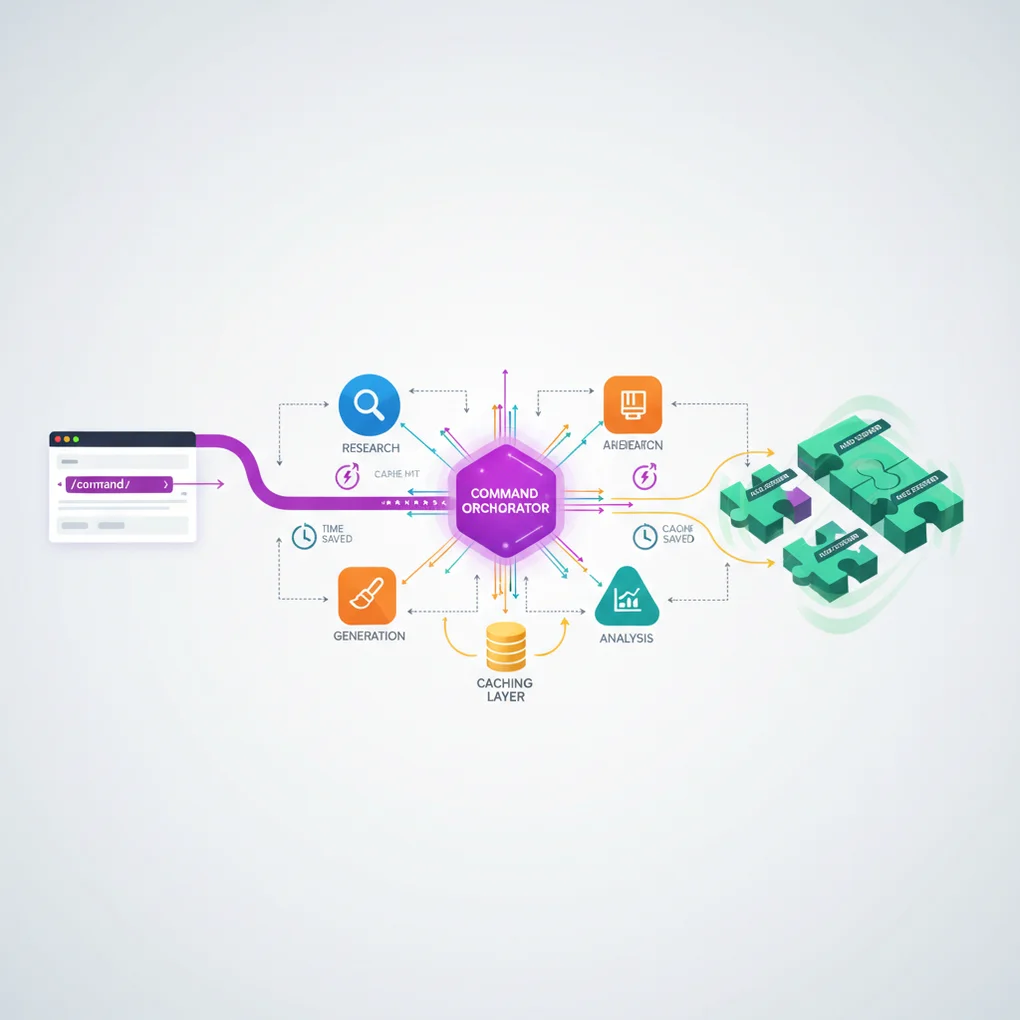
EffiFlow Part 2: Skills Auto-Discovery and 58% Token Reduction Caching
Skills auto-discovery mechanism and Commands integration. Achieving 58% token reduction through caching strategy
Series Navigation
EffiFlow Automation Architecture Analysis/Evaluation and Improvements Series (2/3)
- Part 1: 71% Cost Reduction with Metadata - 3-Tier Architecture and System Overview
- Part 2: Skills and Commands Integration Strategy ← Current Article
- Part 3: Practical Improvement Cases and ROI Analysis
Introduction
In Part 1, we explored EffiFlow’s 3-Tier architecture (Agents → Skills → Commands) and the 71% cost reduction achieved through metadata-first strategy. In Part 2, we’ll dive deep into the core of this system: Skills’ auto-discovery mechanism and Commands’ orchestration pattern.
The key questions are: “What’s the difference between Model-Invoked and User-Invoked, and how did we achieve 58% token reduction?”
Skills: Auto-Discovered Modular Functions
What is Model-Invoked?
Skills operate in a Model-Invoked manner. This means Claude automatically activates them based on context without explicit user invocation.
For example, when a user mentions keywords like “blog post” or “frontmatter,” Claude automatically loads the blog-writing Skill. It’s like an expert automatically pulling out relevant tools upon hearing the conversation topic.
SKILL.md Structure Analysis
Every Skill is defined by a SKILL.md file containing YAML frontmatter:
---
name: blog-writing
description: Create SEO-optimized multi-language blog posts with proper frontmatter, hero images, and content structure. Use when writing blog posts, creating content, or managing blog metadata.
allowed-tools: [Read, Write, Edit, Bash, Grep, Glob]
---
Key Elements:
- name: Lowercase, hyphenated, under 64 characters
- description: Function description + usage timing (“Use when…”)
- allowed-tools: Tool restrictions for enhanced security and read-only Skills
The “Use when…” phrase in the description is particularly important. Claude uses this to determine when to activate the Skill.
4 Implemented Skills in Detail
1. blog-writing (666 lines)
File Structure:
- SKILL.md (73 lines): Core overview
- content-structure.md (328 lines): Post structure guide
- frontmatter-schema.md (173 lines): Schema detailed explanation
- seo-guidelines.md (92 lines): SEO optimization rules
- 3 Python scripts (464 lines): generate_slug.py, get_next_pubdate.py, validate_frontmatter.py
Core Functions:
- Frontmatter validation (date format, required fields, image paths)
- SEO optimization (language-specific title/description length limits)
- Korean: title 40 chars, description 120 chars
- English: title 60 chars, description 160 chars
- Japanese: title 35 chars, description 110 chars
- Multi-language support (Korean, English, Japanese)
- Automatic slug generation and pubDate calculation
2. content-analyzer (275 lines)
Output Metadata:
{
  "summary": "100-150 character summary",
  "topics": ["topic1", "topic2", "topic3", "topic4", "topic5"],
  "techStack": ["tech1", "tech2", "tech3"],
  "difficulty": 3,
  "categoryScores": {
    "automation": 0.8,
    "web-development": 0.6,
    "ai-ml": 0.9,
    "devops": 0.3,
    "architecture": 0.5
  },
  "contentHash": "abc123..."
}
Token Efficiency:
- Full content analysis: ~40,000 tokens
- Metadata-based: ~12,000-16,000 tokens
- 60-70% reduction
Incremental Processing: Change detection via Content Hash, preventing unnecessary re-analysis
3. recommendation-generator (341 lines)
LLM-Based Semantic Recommendations:
Instead of traditional TF-IDF, we use Claude LLM for true meaning comprehension:
TF-IDF (Traditional)    →  LLM (Modern)
Keyword frequency       →  Full content understanding
Cosine similarity       →  Semantic similarity
Keyword overlap-based   →  Context-based recommendations
6-Dimensional Similarity Analysis:
- topic: Topic similarity (40%)
- techStack: Tech stack (25%)
- purpose: Purpose alignment (10%)
- complementary: Complementary relationship (10%)
- difficulty: Difficulty level (15%)
- category: Category alignment
Multi-Language Reasoning:
{
  "reason": {
    "ko": "두 글 모두 MCP 서버를 활용한 브라우저 자동화...",
    "ja": "両記事ともMCPサーバーを活用したブラウザ自動化...",
    "en": "Both posts cover MCP server-based browser automation..."
  }
}
4. trend-analyzer (605 lines)
Brave Search MCP Integration:
# Mandatory 2-second delay after each search (Rate Limit compliance)
brave_web_search "AI automation tools 2025"
sleep 2
brave_web_search "Claude Code trends 2025"
sleep 2
Caching Strategy:
| Data Type | Cache Period | File Location | Effect |
|---|---|---|---|
| Trend data | 24 hours | .cache/trend-data.json | Prevents same-day repeated searches |
| Technology data | 7 days | .cache/technology-data.json | Weekly deduplication |
| Keyword data | 48 hours | .cache/keyword-data.json | 2-day reuse |
Performance Comparison:
Before (Pre-caching):
- Every Brave Search call
- 40,000+ tokens
- Cost: ~$0.05/run
After (Post-caching):
- Cache reuse within 24 hours
- 17,000 tokens
- Cost: ~$0.02/run
- 58% reduction
Progressive Disclosure Pattern
Skills use a layered context provision approach:
graph TD
    A[SKILL.md<br/>Core Overview<br/>73-605 lines] --> B[Support Docs<br/>Detailed Guide<br/>92-328 lines]
    B --> C[Scripts<br/>Executable Code<br/>78-258 lines]

    style A fill:#10B981,stroke:#059669,stroke-width:2px,color:#fff
    style B fill:#3B82F6,stroke:#2563EB,stroke-width:2px,color:#fff
style C fill:#F59E0B,stroke:#D97706,stroke-width:2px,color:#fffEffect: Load only what’s needed, maximizing context efficiency
Commands: User-Invoked Workflow Orchestrators
What is User-Invoked?
Commands operate in a User-Invoked manner. Users explicitly call them with /command slash notation, passing arguments via $ARGUMENTS.
/write-post "Claude Code MCP Integration Guide"
/analyze-posts --force
/next-post-recommendation --count 10
Complexity Distribution
| Complexity | Commands | Average Lines |
|---|---|---|
| Very High | write-post (1,080 lines), write-post-ko (1,063 lines), write-ga-post (745 lines) | 963 lines |
| High | analyze-posts (444 lines), generate-recommendations (514 lines), next-post-recommendation (551 lines) | 503 lines |
| Low | commit (11 lines) | 11 lines |
Phase-Based Execution Pattern
Complex Commands are divided into clear Phases. Let’s examine write-post’s 8 Phases:
sequenceDiagram
    participant U as User
    participant C as Command<br/>(write-post)
    participant WR as Web Researcher<br/>Agent
    participant TA as Trend Analyzer<br/>Skill
    participant BS as Brave Search<br/>MCP
    participant IG as Image Generator<br/>Agent
    participant WA as Writing Assistant<br/>Agent
    participant BW as Blog Writing<br/>Skill
    participant PA as Post Analyzer<br/>Agent
    participant CA as Content Analyzer<br/>Skill

    U->>C: /write-post "topic"

    Note over C: Phase 1: Research & Planning
    C->>WR: Research request
    WR->>TA: Trend analysis (auto-discovered)
    TA->>BS: Web search
    BS-->>TA: Search results
    Note over TA: sleep 2 (Rate Limit)
    TA-->>WR: Trend data
    WR-->>C: Research complete

    Note over C: Phase 2: Image Generation
    C->>IG: Image generation request
    IG-->>C: Hero image

    Note over C: Phase 3: Content Writing
    C->>WA: Content creation request
    WA->>BW: Blog writing (auto-discovered)
    BW-->>WA: Multi-language posts
    WA-->>C: Writing complete

    Note over C: Phase 4: Frontmatter & Metadata
    C->>BW: Frontmatter validation
    BW-->>C: Validation complete

    Note over C: Phase 5: Metadata Generation
    C->>PA: Metadata extraction
    PA->>CA: Content analysis (auto)
    CA-->>PA: Metadata
    PA-->>C: post-metadata.json

    Note over C: Phase 6-8: Recommendations, Backlinks, Build
    C->>C: V3 recommendation generation
    C->>C: Backlink updates
    C->>C: astro check & build

    C-->>U: Post generation complete
Phase Details:
Phase 1: Research & Planning
- Web Researcher agent invocation
- Trend Analyzer Skill auto-discovery
- Latest information gathering via Brave Search MCP
- 2-second delay for Rate Limit compliance
Phase 2: Image Generation
- Image Generator agent
- Gemini API usage (requires GEMINI_API_KEY)
- Topic-based hero image generation
Phase 3: Content Writing
- Writing Assistant agent
- Blog Writing Skill auto-discovery
- Simultaneous creation in Korean, Japanese, English
- Localization (not translation)
Phase 4: Frontmatter & Metadata
- Frontmatter validation via Blog Writing Skill
- pubDate: ‘YYYY-MM-DD’ format (single quotes)
- heroImage: Relative path validation
Phase 5: Metadata Generation
- Post Analyzer agent
- Content Analyzer Skill auto-activation
- difficulty (1-5) and categoryScores calculation
Phase 6: V3 Recommendations
- scripts/generate-recommendations-v3.js execution
- Metadata-based similarity calculation
- Top 5 related posts selection
Phase 7: Backlink Updates
- Backlink Manager agent (optional)
- Related posts cross-linking
Phase 8: Validation & Build
- npm run astro check
- npm run build
- File paths and metadata summary return
Agent Orchestration Pattern
Commands act as orchestrators, delegating actual work to Agents:
graph LR
    CMD[Command<br/>Orchestrator] --> WR[Web Researcher<br/>Agent]
    CMD --> IG[Image Generator<br/>Agent]
    CMD --> WA[Writing Assistant<br/>Agent]
    CMD --> PA[Post Analyzer<br/>Agent]
    CMD --> BM[Backlink Manager<br/>Agent]

    WR -.auto-discover.-> TA[Trend Analyzer<br/>Skill]
    WA -.auto-discover.-> BW[Blog Writing<br/>Skill]
    PA -.auto-discover.-> CA[Content Analyzer<br/>Skill]

    style CMD fill:#8B5CF6,stroke:#7C3AED,stroke-width:3px,color:#fff
    style WR fill:#3B82F6,stroke:#2563EB,stroke-width:2px,color:#fff
    style IG fill:#F97316,stroke:#EA580C,stroke-width:2px,color:#fff
    style WA fill:#14B8A6,stroke:#0D9488,stroke-width:2px,color:#fff
    style PA fill:#3B82F6,stroke:#2563EB,stroke-width:2px,color:#fff
    style BM fill:#14B8A6,stroke:#0D9488,stroke-width:2px,color:#fff
    style TA fill:#10B981,stroke:#059669,stroke-width:2px,color:#fff
    style BW fill:#10B981,stroke:#059669,stroke-width:2px,color:#fff
style CA fill:#10B981,stroke:#059669,stroke-width:2px,color:#fffEffects:
- Separation of Concerns: Command defines workflow only
- Reusability: Agents and Skills used across multiple Commands
- Maintainability: Independent modification of each component
- Testability: Testing possible per layer
Caching Strategy: 58% Token Reduction Mechanism
trend-analyzer’s 3-Tier Caching
The trend-analyzer Skill caches three types of data for different periods:
// Caching algorithm (pseudo-code)
async function getTrendData(topic: string) {
  const cacheKey = `trend-${topic}`;
  const cached = cache.get(cacheKey);

  // Cache hit: Within validity period
  if (cached && !isExpired(cached, 24 * 60 * 60)) {
    console.log("Cache hit: Returning cached data");
    return cached.data; // Immediate return, no API call
  }

  // Cache miss: New search needed
  console.log("Cache miss: Fetching from Brave Search");
  const data = await braveSearch(topic);
  await sleep(2000); // Rate Limit compliance

  // Cache save
  cache.set(cacheKey, {
    data,
    timestamp: Date.now(),
    expiresAt: Date.now() + 24 * 60 * 60 * 1000,
  });

  return data;
}
Cache Effect Scenarios
Scenario 1: Multiple Topic Searches Same Day
# First topic (cache miss)
/next-post-recommendation --category ai-ml
# → Brave Search calls: 15 times
# → Duration: 45-60 seconds
# → Tokens: 40,000+

# Second topic (80% cache hit)
/next-post-recommendation --category web-development
# → Brave Search calls: 3 times (new queries only)
# → Duration: 10-15 seconds
# → Tokens: 17,000 (58% reduction)
Scenario 2: Same Topic Next Day
# 24 hours passed (cache expired)
/next-post-recommendation --category ai-ml
# → Brave Search calls again: 15 times
# → Reflects latest trends
Performance Comparison Table
| Item | Pre-caching | Post-caching | Reduction |
|---|---|---|---|
| Token Usage | 40,000+ | 17,000 | 58% |
| API Calls | 15 times | 3 times (avg) | 80% |
| Duration | 45-60 sec | 10-15 sec | 75% |
| Cost | ~$0.05 | ~$0.02 | 60% |
Integrated Workflow Practical Examples
Example 1: Blog Post Creation (/write-post)
Visualizing the complete call chain:
flowchart TD
    Start([User: /write-post 'Claude Code MCP']) --> CMD{Command<br/>write-post}

    CMD --> P1[Phase 1: Research & Planning]
    P1 --> WR[Web Researcher Agent]
    WR --> TA[Trend Analyzer Skill<br/>auto-discovered]
    TA --> BS[Brave Search MCP]
    BS --> Sleep1[sleep 2<br/>Rate Limit]
    Sleep1 --> Cache1{Cache<br/>Check}
    Cache1 -->|Hit| Return1[Cached Data<br/>17K tokens]
    Cache1 -->|Miss| Search1[New Search<br/>40K+ tokens]
    Search1 --> Return1
    Return1 --> P1Done[Research Complete]

    P1Done --> P2[Phase 2: Image Generation]
    P2 --> IG[Image Generator Agent]
    IG --> Gemini[Gemini API]
    Gemini --> P2Done[Hero Image Saved]

    P2Done --> P3[Phase 3: Content Writing]
    P3 --> WA[Writing Assistant Agent]
    WA --> BW[Blog Writing Skill<br/>auto-discovered]
    BW --> Multi[3 language posts<br/>ko, ja, en]
    Multi --> P3Done[Content Created]

    P3Done --> P4[Phase 4: Frontmatter]
    P4 --> Validate[Frontmatter validation]
    Validate --> P4Done[Validation Pass]

    P4Done --> P5[Phase 5: Metadata]
    P5 --> PA[Post Analyzer Agent]
    PA --> CA[Content Analyzer Skill<br/>auto]
    CA --> Hash{Content<br/>Hash}
    Hash -->|Changed| Analyze[New Analysis<br/>12K tokens]
    Hash -->|Unchanged| Skip[Skip Analysis<br/>0 tokens]
    Analyze --> P5Done[Metadata Saved]
    Skip --> P5Done

    P5Done --> P6[Phase 6: Recommendations]
    P6 --> Script[generate-recommendations-v3.js]
    Script --> Sim[Similarity Calculation]
    Sim --> P6Done[Top 5 Related Posts]

    P6Done --> P7[Phase 7: Backlinks]
    P7 --> BM[Backlink Manager]
    BM --> Update[Update Related Posts]
    Update --> P7Done[Cross-links Created]

    P7Done --> P8[Phase 8: Build]
    P8 --> Check[astro check]
    Check --> Build[npm run build]
    Build --> End([Posts Published])

    style Start fill:#8B5CF6,stroke:#7C3AED,stroke-width:2px,color:#fff
    style CMD fill:#8B5CF6,stroke:#7C3AED,stroke-width:3px,color:#fff
    style WR fill:#3B82F6,stroke:#2563EB,stroke-width:2px,color:#fff
    style IG fill:#F97316,stroke:#EA580C,stroke-width:2px,color:#fff
    style WA fill:#14B8A6,stroke:#0D9488,stroke-width:2px,color:#fff
    style PA fill:#3B82F6,stroke:#2563EB,stroke-width:2px,color:#fff
    style BM fill:#14B8A6,stroke:#0D9488,stroke-width:2px,color:#fff
    style TA fill:#10B981,stroke:#059669,stroke-width:2px,color:#fff
    style BW fill:#10B981,stroke:#059669,stroke-width:2px,color:#fff
    style CA fill:#10B981,stroke:#059669,stroke-width:2px,color:#fff
    style Cache1 fill:#F59E0B,stroke:#D97706,stroke-width:2px,color:#fff
    style Return1 fill:#F59E0B,stroke:#D97706,stroke-width:2px,color:#fff
    style End fill:#10B981,stroke:#059669,stroke-width:2px,color:#fff
Token Usage Analysis:
| Phase | Main Task | Token Usage | Optimization |
|---|---|---|---|
| Phase 1 | Web research | 17,000 (cache hit) | 58% reduction |
| Phase 3 | Content writing | 15,000 | - |
| Phase 5 | Metadata | 12,000 (incremental) | 70% reduction |
| Phase 6 | Recommendations | 3,000 (metadata-based) | 60% reduction |
| Total | 47,000 | 63% avg reduction |
Example 2: Metadata and Recommendation Pipeline
graph TD
    Posts[Blog Posts<br/>ko/ja/en] --> Analyze[analyze-posts<br/>Command]
    Analyze --> Meta[post-metadata.json]
    Meta --> GenRec[generate-recommendations<br/>Command]
    GenRec --> RecJSON[recommendations.json<br/>V2]
    GenRec --> RecV3[relatedPosts<br/>in frontmatter<br/>V3]
    RecJSON --> Component[RelatedPosts.astro<br/>Component]
    RecV3 --> Component
    Component --> Display[Blog post<br/>bottom display]

    style Posts fill:#3B82F6,stroke:#2563EB,stroke-width:2px,color:#fff
    style Analyze fill:#8B5CF6,stroke:#7C3AED,stroke-width:2px,color:#fff
    style Meta fill:#F59E0B,stroke:#D97706,stroke-width:2px,color:#fff
    style GenRec fill:#8B5CF6,stroke:#7C3AED,stroke-width:2px,color:#fff
    style RecJSON fill:#F59E0B,stroke:#D97706,stroke-width:2px,color:#fff
    style RecV3 fill:#F59E0B,stroke:#D97706,stroke-width:2px,color:#fff
    style Component fill:#10B981,stroke:#059669,stroke-width:2px,color:#fff
    style Display fill:#10B981,stroke:#059669,stroke-width:2px,color:#fff
Data Flow:
-
/analyze-posts: Analyzes Korean posts only (3x cost reduction)
- Change detection via Content Hash
- Re-analyzes only changed posts
- Updates post-metadata.json
-
/generate-recommendations: LLM-based semantic recommendations
- Metadata-based analysis (60-70% token reduction)
- 6-dimensional similarity calculation
- V2: Generates recommendations.json (legacy)
- V3: Directly adds to relatedPosts in frontmatter (current)
-
RelatedPosts Component: Displays recommendations on blog posts
Example 3: Trend-Based Topic Recommendations
Caching utilization flow:
sequenceDiagram
    participant U as User
    participant CMD as /next-post-recommendation
    participant CP as Content Planner<br/>Agent
    participant TA as Trend Analyzer<br/>Skill
    participant Cache as Cache Layer<br/>.cache/
    participant BS as Brave Search<br/>MCP

    U->>CMD: /next-post-recommendation
    CMD->>CP: Topic recommendation request
    CP->>TA: Trend analysis (auto-discovered)

    TA->>Cache: Cache Check (24h)

    alt Cache Hit (within 24h)
        Cache-->>TA: Cached Trend Data
        Note over TA: 10-15 sec<br/>17,000 tokens<br/>58% reduction
    else Cache Miss (24h passed)
        TA->>BS: Brave Web Search
        Note over BS: sleep 2 (Rate Limit)
        BS-->>TA: Fresh Data
        TA->>Cache: Update Cache
        Note over TA: 45-60 sec<br/>40,000+ tokens
    end

    TA-->>CP: Trend data
    CP->>CP: Content gap analysis
    CP->>CP: Generate 10 topics
    CP-->>CMD: Recommendation report
    CMD-->>U: content-recommendations-{date}.md
$ARGUMENTS Usage Patterns
Commands support flexible argument passing via $ARGUMENTS.
Simple Pattern (analyze-posts)
/analyze-posts $ARGUMENTS

# Usage examples

/analyze-posts --force # Full regeneration
/analyze-posts --post my-slug # Specific post only
/analyze-posts --verify # Verification mode
Complex Pattern (write-post)
Topic: $ARGUMENTS

# Parsing logic

topic = args[0] # First argument: topic
flags = parseFlags(args[1:]) # Rest: flags

# Usage examples

/write-post "Claude Code MCP Integration Guide" --tags ai,mcp,automation --languages ko,ja
Flag Parsing Example:
function parseArguments(args: string[]) {
  const result = {
    topic: args[0],
    tags: [],
    languages: ["ko", "ja", "en"], // Default
    description: "",
  };

  for (let i = 1; i < args.length; i++) {
    if (args[i] === "--tags" && args[i + 1]) {
      result.tags = args[i + 1].split(",");
      i++;
    } else if (args[i] === "--languages" && args[i + 1]) {
      result.languages = args[i + 1].split(",");
      i++;
    } else if (args[i] === "--description" && args[i + 1]) {
      result.description = args[i + 1];
      i++;
    }
  }

  return result;
}
Practical Application Guide
Creating a Skill (Step-by-Step)
Step 1: Create Directory
mkdir -p .claude/skills/my-skill
cd .claude/skills/my-skill
Step 2: Write SKILL.md
---
name: my-skill
description: Brief description of what this skill does. Use when [specific trigger condition].
allowed-tools: [Read, Write, Bash]
---

# My Skill

## Core Capabilities

1. **Feature 1**: Description
2. **Feature 2**: Description

## Workflow

### Phase 1: Input Processing

...

### Phase 2: Main Logic

...

### Phase 3: Output Generation

...

## Examples

...
Step 3: Add Support Files (Optional)
# Detailed guide
touch detailed-guide.md

# Scripts
mkdir scripts
touch scripts/helper.py
Step 4: Test
# Use trigger keywords in conversation with Claude
"Please use my-skill to process this data..."
Creating a Command (Step-by-Step)
Step 1: Create File
touch .claude/commands/my-command.mdStep 2: Define Workflow
# My Command

Execute [specific workflow] with [parameters].

## Usage

\`\`\`bash
/my-command $ARGUMENTS
\`\`\`

## Arguments

- \`<required>\`: Description
- \`--optional\`: Description

## Workflow

### Phase 1: Preparation

1. Parse arguments
2. Validate inputs
3. Load dependencies

### Phase 2: Execution

1. Call Agent A
2. Process results
3. Call Agent B

### Phase 3: Finalization

1. Validate outputs
2. Save results
3. Return summary

## Example

\`\`\`bash
/my-command "input" --flag value
\`\`\`

## Output

...

## Related Files

- Agent: `.claude/agents/my-agent.md`
- Skill: `.claude/skills/my-skill/SKILL.md`
Step 3: Agent Invocation Pattern
### Phase 2: Main Processing

Delegate to specialized agent:

\`\`\`
@my-agent "Process this data with specific instructions"
\`\`\`

The agent will:

1. Automatically discover relevant skills
2. Execute the workflow
3. Return structured results
Step 4: Test
# Execute Command in conversation with Claude
/my-command "test input" --verbose
Performance Optimization Techniques
1. Caching (58% Reduction)
Implementation:
interface CacheEntry {
  data: any;
  timestamp: number;
  expiresAt: number;
}

class SimpleCache {
  private cache: Map<string, CacheEntry> = new Map();

  set(key: string, data: any, ttlSeconds: number) {
    this.cache.set(key, {
      data,
      timestamp: Date.now(),
      expiresAt: Date.now() + ttlSeconds * 1000,
    });
  }

  get(key: string): any | null {
    const entry = this.cache.get(key);
    if (!entry) return null;

    if (Date.now() > entry.expiresAt) {
      this.cache.delete(key);
      return null;
    }

    return entry.data;
  }
}
Expiration Policy:
- Trend data: 24 hours (changes quickly)
- Technical docs: 7 days (weekly updates)
- Keywords: 48 hours (medium speed)
2. Incremental Processing (70% Reduction)
Content Hash Implementation:
import crypto from "crypto";

function calculateContentHash(content: string): string {
  return crypto.createHash("sha256").update(content).digest("hex");
}

async function incrementalAnalysis(post: BlogPost) {
  const currentHash = calculateContentHash(post.content);
  const existingMetadata = await loadMetadata(post.slug);

  // Change detection
  if (existingMetadata?.contentHash === currentHash) {
    console.log(`Skipping ${post.slug}: No changes`);
    return existingMetadata; // Reuse existing metadata
  }

  // Changed: Re-analysis needed
  console.log(`Analyzing ${post.slug}: Content changed`);
  const metadata = await analyzeContent(post);
  metadata.contentHash = currentHash;

  await saveMetadata(post.slug, metadata);
  return metadata;
}
Effect Measurement:
| Scenario | Before | After | Reduction |
|---|---|---|---|
| 1 new post | 3,000 tokens | 3,000 tokens | 0% |
| 13 existing + 1 new | 42,000 tokens | 3,000 tokens | 93% |
| Full re-analysis (—force) | 42,000 tokens | 42,000 tokens | 0% |
| Average | 70% |
3. Parallel Execution (Preview)
Will be covered in detail in Part 3:
// Sequential processing (current)
for (const post of posts) {
  await analyzePost(post); // 2 minutes
}

// Parallel processing (improvement)
await Promise.all(posts.map((post) => analyzePost(post))); // 30 seconds (70% faster)
Best Practices
Skills Creation
✅ SKILL.md Required
- Recommended under 100 lines (separate support docs if longer)
- High-quality YAML frontmatter
✅ Clear description
- Include “Use when…” phrase
- Specify trigger conditions
✅ Limit permissions with allowed-tools
- Security: Exclude unnecessary tools
- Read-only Skills: [Read, Grep, Glob] only
✅ Progressive Disclosure
- SKILL.md: Core overview
- Support docs: Detailed guides
- Scripts: Execution logic
Commands Creation
✅ Phase-Based Execution
- Clear step separation
- Phase 1-8 format
✅ Agent Delegation Pattern
- Command as orchestrator only
- Actual work to Agents
✅ Include Validation Step
- End of Phase: Always validate
- Run astro check, build
✅ Error Handling
- Specify prerequisites
- Provide recovery methods on failure
Next in the Series
Part 3: Practical Improvement Cases and ROI Analysis
Topics to Cover:
-
Parallel Processing Implementation (70% time reduction)
- Using Promise.all
- Concurrent execution control
- Error handling
-
Automated Testing (Quality assurance)
- Skill unit tests
- Command integration tests
- CI/CD integration
-
Retry Logic (Improved stability)
- Web search failure recovery
- Exponential Backoff
- Partial failure handling
-
ROI Analysis (Investment vs Effect)
- Development time investment
- Cost savings calculation
- Break-Even Point
-
Top 3 Quick Wins (Immediately applicable)
- Dry-Run mode
- Interactive mode
- Cost Tracking Dashboard
Expected Results:
- Processing time: 2 min → 30 sec (75% reduction)
- Test coverage: 0% → 80%
- Stability: 95% → 99%
Conclusion
In Part 2, we deeply analyzed the core integration strategy of Skills and Commands in EffiFlow.
Key Insights:
- Skills Auto-Discovery: Model-Invoked with context-based activation
- Commands Orchestration: User-Invoked, Phase-based execution, Agent delegation
- 58% Reduction via Caching: 3-Tier caching strategy (24h/7d/48h)
- Progressive Disclosure: Maximized efficiency with layered context
- Metadata-First: 60-70% token reduction
Practical Applications:
/write-post: 8-Phase complete automation/analyze-posts: 70% reduction with incremental processing/next-post-recommendation: 58% reduction with caching
In Part 3, we’ll further improve this architecture to achieve 75% faster processing, 80% test coverage, and 99% stability through practical improvement cases.
EffiFlow’s innovation continues. See you in the next part! 🚀
Was this helpful?
Your support helps me create better content. Buy me a coffee! ☕
Related Articles
-
EffiFlow Analysis: 71% Cost Reduction with Metadata Architecture
Covers similar topics in automation, AI/ML, architecture with comparable difficulty.

-
Applying Verbalized Sampling to Claude Code Agents: 1.6〜2.1x LLM Diversity Boost
Covers similar topics in automation, AI/ML, architecture with comparable difficulty.

-
LangGraph Multi-Agent Systems: Production-Grade Orchestration
Covers similar topics in automation, AI/ML, architecture with comparable difficulty.