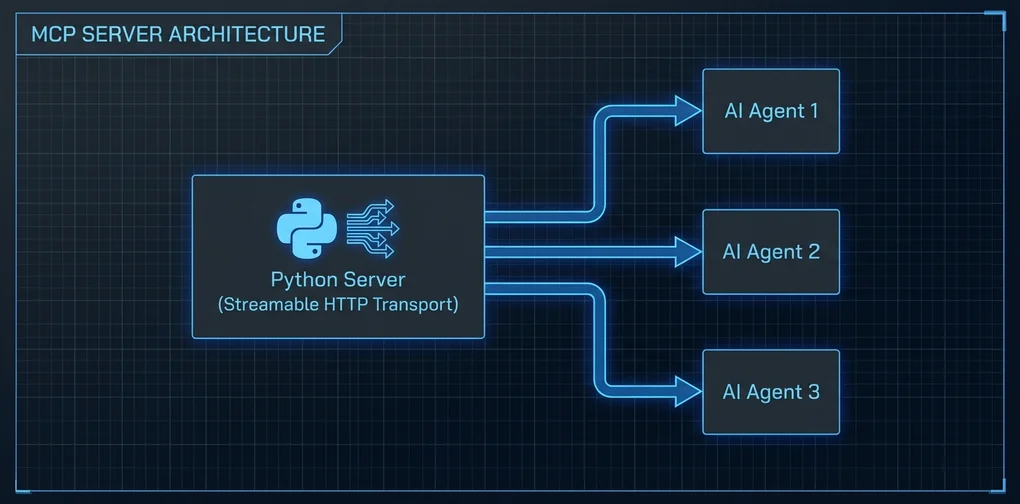
Building Your Own MCP Server — Implementing Real AI Tools with Streamable HTTP Transport
A hands-on tutorial for building an MCP server from scratch using Python FastMCP. Covers Streamable HTTP transport setup, tool implementation, and Claude Code integration from real experience.
There’s no shortage of articles about using MCP servers. Guides to building one from scratch are surprisingly rare.
The official docs exist, but since Streamable HTTP transport became the standard in late 2025, a lot of the older SSE (Server-Sent Events) examples are half-outdated. When I first followed one, I got stuck because there was no mention of installing uvicorn separately.
This guide is the result of working through that frustration. It covers building an MCP server that actually works as of 2026, focusing on Streamable HTTP transport setup and integration with Claude Code.
Why build your own?
As covered in the MCP Servers Toolkit Introduction, hundreds of public MCP servers already exist. So why build your own?
Internal systems integration. No public MCP server knows about your company’s internal JIRA, build systems, or deployment pipelines.
Fine-grained access control. Public servers tend to be all-or-nothing. If you need tools accessible only to specific teams, or commands that run only in certain environments, you need to build it yourself.
Complex composition logic. When you want to combine multiple APIs into a single coherent “tool,” it’s often cleaner to build a new server than to fork and patch an existing one.
Setup
# Python 3.11+ recommended
python --version

# Install FastMCP (high-level interface for the MCP Python SDK)
pip install fastmcp

# ASGI server required for Streamable HTTP transport
pip install uvicorn
FastMCP is the high-level API included in the mcp package. Using the low-level Server class directly is also possible, but FastMCP covers the majority of use cases without the boilerplate.
Your first MCP server: minimal example
# server.py
from fastmcp import FastMCP

mcp = FastMCP("my-first-server")

@mcp.tool()
def get_word_count(text: str) -> dict:
    """
    Returns word count, character count, and line count for a text string.

    Args:
        text: The text string to analyze
    """
    words = text.split()
    lines = text.splitlines()
    return {
        "words": len(words),
        "characters": len(text),
        "lines": len(lines),
        "avg_word_length": round(sum(len(w) for w in words) / len(words), 1) if words else 0
    }

@mcp.tool()
def format_list(items: list[str], style: str = "bullet") -> str:
    """
    Converts a list of strings into a formatted output.

    Args:
        items: List of strings to format
        style: One of 'bullet' (default), 'numbered', or 'comma'
    """
    if style == "numbered":
        return "\n".join(f"{i+1}. {item}" for i, item in enumerate(items))
    elif style == "comma":
        return ", ".join(items)
    else:
        return "\n".join(f"- {item}" for item in items)

if __name__ == "__main__":
    mcp.run()
This runs with stdio transport — fine for direct Claude Desktop connections, but you need Streamable HTTP if multiple clients will connect over the network.
Switching to Streamable HTTP transport
# server_http.py
from fastmcp import FastMCP

mcp = FastMCP("my-http-server")

@mcp.tool()
def get_word_count(text: str) -> dict:
    """Returns text statistics."""
    words = text.split()
    return {
        "words": len(words),
        "characters": len(text),
        "lines": len(text.splitlines())
    }

@mcp.tool()
def format_list(items: list[str], style: str = "bullet") -> str:
    """Converts a list to a formatted string."""
    if style == "numbered":
        return "\n".join(f"{i+1}. {item}" for i, item in enumerate(items))
    elif style == "comma":
        return ", ".join(items)
    return "\n".join(f"- {item}" for item in items)

if __name__ == "__main__":
    # Run with Streamable HTTP: default port 8000
    mcp.run(transport="streamable-http", host="0.0.0.0", port=8000)
Run it:
python server_http.py
# INFO:     Started server process [12345]
# INFO:     Waiting for application startup.
# INFO:     Application startup complete.
# INFO:     Uvicorn running on http://0.0.0.0:8000 (Press CTRL+C to quit)
The default endpoint is http://localhost:8000/mcp/. You can change this path via the streamable_http_path parameter in FastMCP().
Connecting to Claude Code
Add this to Claude Code’s MCP config (~/.claude/settings.json):
{
  "mcpServers": {
    "my-tools": {
      "transport": {
        "type": "streamable-http",
        "url": "http://localhost:8000/mcp/"
      }
    }
  }
}
Restart Claude Code and the tools from my-tools will be available.
One thing I ran into: CORS errors on first connect. FastMCP’s default CORS only allows localhost origins, which can cause issues depending on how Claude Code makes requests:
from fastmcp import FastMCP

mcp = FastMCP(
    "my-http-server",
    # Development-only setting
    allowed_origins=["http://localhost:*"]
)
In production, replace the wildcard with the actual host where Claude Code runs.
Practical example: fetching GitHub Issues
The pattern I use most is wrapping external APIs as MCP tools. Here’s a GitHub example:
import httpx
from fastmcp import FastMCP
import os

mcp = FastMCP("github-tools")

GITHUB_TOKEN = os.environ.get("GITHUB_TOKEN", "")

@mcp.tool()
async def get_open_issues(owner: str, repo: str, limit: int = 10) -> list[dict]:
    """
    Fetches open issues from a GitHub repository.

    Args:
        owner: Repository owner (e.g., 'anthropics')
        repo: Repository name (e.g., 'claude-code')
        limit: Number of issues to fetch (default 10, max 30)
    """
    limit = min(limit, 30)
    headers = {"Accept": "application/vnd.github.v3+json"}
    if GITHUB_TOKEN:
        headers["Authorization"] = f"Bearer {GITHUB_TOKEN}"

    async with httpx.AsyncClient() as client:
        resp = await client.get(
            f"https://api.github.com/repos/{owner}/{repo}/issues",
            headers=headers,
            params={"state": "open", "per_page": limit}
        )
        resp.raise_for_status()
        issues = resp.json()

    return [
        {
            "number": issue["number"],
            "title": issue["title"],
            "url": issue["html_url"],
            "labels": [l["name"] for l in issue.get("labels", [])],
            "created_at": issue["created_at"]
        }
        for issue in issues
    ]

if __name__ == "__main__":
    mcp.run(transport="streamable-http", port=8000)
FastMCP automatically recognizes async def and handles it asynchronously. Using an async HTTP client like httpx means the server can handle other requests while waiting on I/O — important once you have multiple tools that hit external APIs.
In Claude Code, asking “show me the 10 most recent open issues in anthropics/claude-code” will automatically call get_open_issues("anthropics", "claude-code", 10).
Adding resources
Beyond tools, you can define resources — static or semi-static data for the AI to reference:
@mcp.resource("config://app-settings")
def get_app_settings() -> str:
    """Returns application configuration context."""
    return """
    Environment: production
    API Version: v2
    Allowed models: claude-opus-4, claude-sonnet-4
    Max tokens: 100000
    """
Resources are read-only context that the AI can pull in, as opposed to tools which take action.
Production considerations
I’ll be honest: deploying a Streamable HTTP MCP server to production requires care.
As covered in MCP Security Crisis — 30 CVEs in 60 Days, the MCP ecosystem is still maturing on the security front. Key things to watch when building your own server:
No authentication by default. FastMCP ships with no auth. Fine for internal networks, but if your server is internet-accessible, you need to add API key or OAuth validation:
from fastmcp import FastMCP
from fastmcp.server.auth import BearerAuthProvider

auth = BearerAuthProvider(
    public_key="...",  # Public key for JWT verification
    issuer="https://auth.yourcompany.com"
)
mcp = FastMCP("secure-server", auth=auth)
Input validation. Don’t pass user-controlled input directly to system commands or raw queries. Use Pydantic models to enforce types — that gives you basic validation essentially for free.
Logging. Track which AI agent called which tool, and when. As covered in MCP Gateway — Who Controls Your Agent’s Tool Calls, monitoring agent traffic is a production requirement, not an optional extra.
Local testing
The mcp CLI is the fastest way to verify your server works before connecting Claude Code:
# Install mcp CLI
pip install "mcp[cli]"

# Open the inspector UI in your browser
mcp inspector server_http.py
The inspector gives you a web UI where you can see registered tools and call them with custom parameters. I’ve found this invaluable for testing tool logic before wiring up the actual Claude Code connection.
Takeaway
Building an MCP server from scratch feels surprisingly approachable once you try it. With FastMCP, you can register tools with a decorator and have a Streamable HTTP server running in under 30 minutes.
The real challenge isn’t the server — it’s tool design. Writing parameter types and docstrings clearly enough that the AI doesn’t misuse them. Returning errors in a format the AI can reason about. Keeping tools focused on a single responsibility rather than cramming everything into one function. That’s where most of the actual thinking goes.
The official MCP Python SDK repo (github.com/modelcontextprotocol/python-sdk) has solid examples. I’d recommend getting the code above running first, then using it as a reference once you want to go further.
Was this helpful?
Your support helps me create better content. Buy me a coffee! ☕
Related Articles
-
Complete Guide to My MCP Server Toolkit
Reading the MCP server toolkit overview first will help you understand why building your own server makes sense.

-
MCP Gateway — Who Controls Your AI Agent's Tool Calls?
When deploying your own MCP server to production, pairing it with MCP Gateway for traffic control rounds out the architecture.

-
MCP Joins the Linux Foundation — An Adoption Roadmap for Engineering Teams
Understanding why MCP joined the Linux Foundation adds context to the Streamable HTTP transport design decisions.