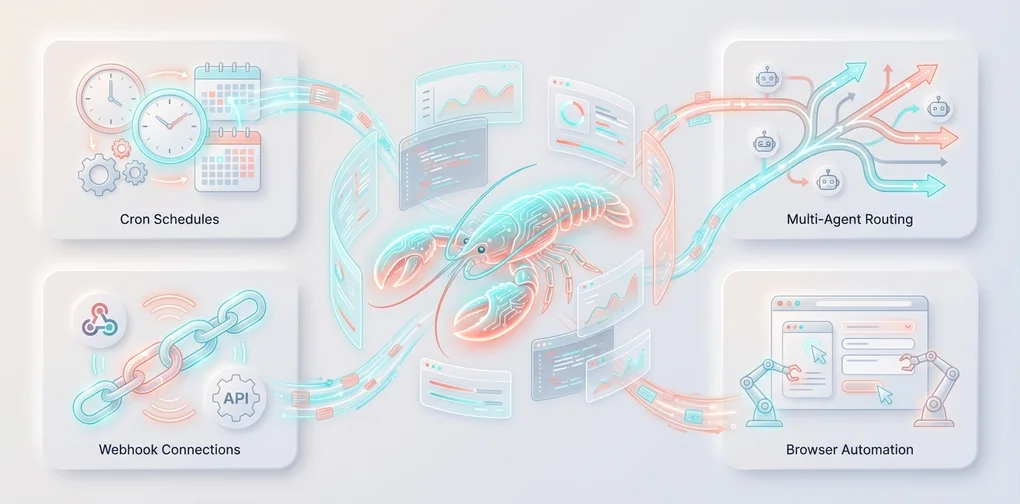
Supercharge OpenClaw — 8 Advanced Real-World Use Cases
Cron automation, webhook integration, MCP servers, multi-agent systems, browser automation, and more — 8 production-level OpenClaw use cases.
Series: Mastering OpenClaw (3/3)
- Introduction
- Tutorial
- Advanced Usage ← You are here
Supercharge OpenClaw — 8 Advanced Real-World Use Cases 🚀
Finished the installation? Congratulations! 🎉 Now for the really fun part.
OpenClaw is not just a chatbot. It’s a personal AI agent that lives and breathes on your devices. In this post, we’ll build production-level workflows step by step. Every example is provided in a complete, copy-and-paste-ready form.
Table of Contents
- Cron-Based Daily Report Automation
- Webhook Integration with n8n/Make
- MCP Server Integration
- Building a Multi-Agent System
- Browser Automation for Data Collection
- Security Camera Monitoring with the Node System
- Complete Guide to Custom Skill Development
- Practical Guide to Writing Workspace Files
Use Case 1: Cron-Based Daily Report Automation 📊
Let’s build a personal assistant that greets you every morning with a summary of today’s schedule, weather, and news headlines.
Complete Configuration Example
Step 1: Enable Cron in openclaw.json
// ~/.openclaw/openclaw.json
{
  "cron": {
    "enabled": true,
    "store": "~/.openclaw/cron/jobs.json",
    "maxConcurrentRuns": 2
  }
}
Step 2: Register a Morning Briefing Cron Job
# Every day at 8 AM (Asia/Tokyo) — runs in an isolated session, delivers to Telegram
openclaw cron add \
  --name "Morning Briefing" \
  --cron "0 8 * * *" \
  --tz "Asia/Tokyo" \
  --session isolated \
  --message "Write today's briefing:
1. Summary of today's calendar events
2. Top 3 unread important emails
3. Today's weather for Seoul/Tokyo
4. 3 tech news headlines
5. Summary of new issues/PRs on GitHub repos
Keep it concise with bullet points." \
  --deliver \
  --channel telegram \
  --to "<my_telegram_chat_id>"
Step 3: Daily Development Report Cron
# Weekdays at 6 PM — auto-generate a dev journal
openclaw cron add \
  --name "Daily Dev Report" \
  --cron "0 18 * * 1-5" \
  --tz "Asia/Tokyo" \
  --session isolated \
  --message "Write a development report for today:
1. What I worked on today (check memory/)
2. Issues resolved
3. Suggested tasks for tomorrow
4. Lessons learned or insights
Format it neatly in markdown and save it to the memory/ folder." \
  --deliver \
  --channel telegram \
  --to "<my_telegram_chat_id>"
Step 4: Weekly Analysis (Using a High-Performance Model)
# Every Monday morning — deep analysis with the opus model
openclaw cron add \
  --name "Weekly Analysis" \
  --cron "0 9 * * 1" \
  --tz "Asia/Tokyo" \
  --session isolated \
  --message "Analyze the past week:
1. Read this week's daily logs from memory/
2. Analyze productivity patterns (which days had the most focus)
3. Summarize frequently worked-on projects/technologies
4. Suggestions for next week
5. Add important insights to MEMORY.md
Please provide an in-depth analysis." \
  --model "opus" \
  --thinking high \
  --deliver \
  --channel telegram \
  --to "<my_telegram_chat_id>"
Cron Management Commands
# List all registered cron jobs
openclaw cron list

# Check execution history for a specific job
openclaw cron runs --id <jobId> --limit 10

# Edit a job
openclaw cron edit <jobId> --message "Updated prompt"

# Manual execution (for testing)
openclaw cron run <jobId> --force

# Delete a job
openclaw cron remove <jobId>
HEARTBEAT.md Integration
Combining cron with heartbeats enables even more flexible automation:
# HEARTBEAT.md

## Always Check
- [ ] If there's a calendar event within 2 hours, send a reminder 30 minutes before
- [ ] Notify immediately for important emails (from: boss@company.com)

## Business Hours (09:00-18:00)
- [ ] Notify on GitHub PR review requests
- [ ] Notify on unanswered Slack mentions

## Nighttime (23:00-08:00)
- HEARTBEAT_OK unless something urgent
Choosing Between Cron and Heartbeat:
- Exact timing matters → Cron (
"0 8 * * *")- Want to batch multiple checks together → Heartbeat (
HEARTBEAT.md)- One-off reminder → Cron (
--at "20m"+--delete-after-run)
Use Case 2: Webhook Integration with n8n/Make 🔗
Connecting external automation tools with OpenClaw unlocks unlimited possibilities.
Enabling Webhooks
// ~/.openclaw/openclaw.json
{
  "hooks": {
    "enabled": true,
    "token": "my-super-secret-webhook-token-2025",
    "path": "/hooks"
  }
}
Basic Endpoint Usage
/hooks/wake — Wake the Agent
# Wake the agent with a system event
curl -X POST http://127.0.0.1:18789/hooks/wake \
  -H 'Authorization: Bearer my-super-secret-webhook-token-2025' \
  -H 'Content-Type: application/json' \
  -d '{"text": "Server CPU usage exceeded 90% alert", "mode": "now"}'
/hooks/agent — Run an Isolated Agent
# Run an agent in a separate session + deliver results to Telegram
curl -X POST http://127.0.0.1:18789/hooks/agent \
  -H 'Authorization: Bearer my-super-secret-webhook-token-2025' \
  -H 'Content-Type: application/json' \
  -d '{
    "message": "Server CPU usage has exceeded 90%. Please analyze the cause and suggest a response plan.",
    "name": "Server Monitoring",
    "sessionKey": "hook:server-monitor:cpu-alert",
    "deliver": true,
    "channel": "telegram",
    "to": "<my_telegram_chat_id>",
    "model": "anthropic/claude-sonnet-4-20250514",
    "timeoutSeconds": 120
  }'
n8n Integration — Automated GitHub PR Review
A complete workflow for calling OpenClaw webhooks from n8n:
n8n Workflow Configuration
{
  "nodes": [
    {
      "name": "GitHub Webhook Trigger",
      "type": "n8n-nodes-base.githubTrigger",
      "parameters": {
        "owner": "myorg",
        "repository": "myrepo",
        "events": ["pull_request"]
      }
    },
    {
      "name": "Filter: PR Opened",
      "type": "n8n-nodes-base.filter",
      "parameters": {
        "conditions": {
          "string": [{
            "value1": "={{ $json.action }}",
            "operation": "equals",
            "value2": "opened"
          }]
        }
      }
    },
    {
      "name": "Call OpenClaw",
      "type": "n8n-nodes-base.httpRequest",
      "parameters": {
        "url": "http://<gateway-ip>:18789/hooks/agent",
        "method": "POST",
        "authentication": "genericCredentialType",
        "genericAuthType": "httpHeaderAuth",
        "sendHeaders": true,
        "headerParameters": {
          "parameters": [{
            "name": "Authorization",
            "value": "Bearer my-super-secret-webhook-token-2025"
          }]
        },
        "sendBody": true,
        "bodyParameters": {
          "parameters": [{
            "name": "message",
            "value": "A new PR has been opened.\nTitle: {{ $json.pull_request.title }}\nAuthor: {{ $json.pull_request.user.login }}\nURL: {{ $json.pull_request.html_url }}\n\nPlease review the changed files and write a brief review comment."
          }, {
            "name": "name",
            "value": "GitHub PR Review"
          }, {
            "name": "deliver",
            "value": true
          }, {
            "name": "channel",
            "value": "telegram"
          }]
        }
      }
    }
  ]
}
Make (Integromat) Integration
In Make, you use the HTTP module:
- Webhook trigger → Receive external events
- Add an HTTP Make a request module:
- URL:
http://<gateway-ip>:18789/hooks/agent - Method: POST
- Headers:
Authorization: Bearer <token> - Body: JSON format with
message,name,deliver,channel
- URL:
Real-Time Gmail Integration
OpenClaw has built-in support for Gmail Pub/Sub:
# Set up Gmail webhooks
openclaw webhooks gmail setup

# Start Gmail watch
openclaw webhooks gmail run
// Add Gmail mapping to openclaw.json
{
"hooks": {
"enabled": true,
"token": "my-secret",
"presets": ["gmail"] // Enable Gmail preset
}
}Whenever a new email arrives:
curl -X POST http://127.0.0.1:18789/hooks/gmail \
  -H 'Authorization: Bearer my-secret' \
  -H 'Content-Type: application/json' \
  -d '{"source":"gmail","messages":[{"from":"Boss","subject":"Urgent: Meeting Tomorrow","snippet":"Please attend the 10 AM meeting tomorrow..."}]}'
Use Case 3: MCP Server Integration 🧠
MCP (Model Context Protocol) is a protocol that provides AI agents with external data sources and tools in a standardized way. Let’s explore how to use MCP servers with OpenClaw.
What Is an MCP Server?
An MCP server is a service that provides specific tools and resources to AI. For example:
- Filesystem MCP — Read/write files in specific directories
- Database MCP — Execute SQL queries
- API MCP — Abstracted REST API calls
- Browser MCP — Web page control
Using MCP with OpenClaw
You can integrate MCP servers through OpenClaw’s skill system. Define how to call MCP servers in your custom skill’s SKILL.md:
---
name: mcp_database
description: MCP integration skill for querying PostgreSQL databases with natural language
metadata: {"openclaw":{"requires":{"bins":["npx"],"env":["DATABASE_URL"]},"primaryEnv":"DATABASE_URL"}}
---

# MCP Database Skill

## Usage
When the user asks database-related questions, query via the MCP server.

## Execution
1. Start the MCP server process with the `exec` tool:
   ```bash
npx @modelcontextprotocol/server-postgres $DATABASE_URL- Execute queries through the tools provided by the MCP server
- Deliver results to the user
Safety Rules
- Only execute SELECT queries (no INSERT/UPDATE/DELETE)
- Always check the table list before querying
- Summarize results exceeding 100 rows
### In Practice: Notion MCP + OpenClaw

```bash
# Install Notion MCP server
npm install -g @notionhq/notion-mcp-server

# Create the skill directory
mkdir -p ~/.openclaw/workspace/skills/notion-mcp
# skills/notion-mcp/SKILL.md
---
name: notion_mcp
description: MCP integration skill for managing a Notion workspace with AI
metadata: {"openclaw":{"requires":{"env":["NOTION_API_KEY"]},"primaryEnv":"NOTION_API_KEY"}}
---
# Notion MCP Skill
Performs page creation, search, and editing through the Notion API.
## Available Operations
- Search and read pages
- Create new pages/database entries
- Edit existing pages
- Query databases
## Execution
Run `notion-mcp-server` with the exec tool, then process the results.// Set skill environment variables in openclaw.json
{
"skills": {
"entries": {
"notion_mcp": {
"enabled": true,
"apiKey": "ntn_xxxxxxxxxxxx",
"env": {
"NOTION_API_KEY": "ntn_xxxxxxxxxxxx"
}
}
}
}
}Use Case 4: Building a Multi-Agent System 🤖
Here’s a practical pattern for running multiple agents with different roles on a single Gateway.
Complete Multi-Agent Configuration
// ~/.openclaw/openclaw.json
{
  "agents": {
    "defaults": {
      "sandbox": {
        "mode": "non-main",
        "scope": "session"
      },
      "subagents": {
        "maxConcurrent": 4,
        "model": "anthropic/claude-sonnet-4-20250514",
        "archiveAfterMinutes": 60
      }
    },
    "list": [
      {
        // Personal assistant — full access
        "id": "personal",
        "default": true,
        "name": "Personal Assistant",
        "workspace": "~/.openclaw/workspace",
        "sandbox": { "mode": "off" }
      },
      {
        // Work agent — restricted tools
        "id": "work",
        "name": "Work Assistant",
        "workspace": "~/.openclaw/workspace-work",
        "sandbox": {
          "mode": "all",
          "scope": "agent"
        },
        "tools": {
          "allow": ["read", "write", "edit", "exec", "web_search", "web_fetch", "browser"],
          "deny": ["gateway", "nodes", "cron"]
        }
      },
      {
        // Family bot — read-only
        "id": "family",
        "name": "Family Bot",
        "workspace": "~/.openclaw/workspace-family",
        "sandbox": {
          "mode": "all",
          "scope": "agent"
        },
        "tools": {
          "allow": ["read", "web_search", "web_fetch", "message"],
          "deny": ["exec", "write", "edit", "browser", "gateway", "nodes"]
        }
      }
    ]
  },

  // Routing rules — who talks to which agent
  "bindings": [
    {
      "agentId": "work",
      "match": {
        "provider": "telegram",
        "peer": {
          "kind": "group",
          "id": "-1001234567890"  // Work group chat
        }
      }
    },
    {
      "agentId": "family",
      "match": {
        "provider": "whatsapp",
        "peer": {
          "kind": "group",
          "id": "120363424282127706@g.us"  // Family group
        }
      }
    }
  ]
}
Subagent Patterns in Practice
This is a pattern where the main agent delegates heavy tasks to subagents.
When you make a request like this in Telegram:
“Translate these 3 tech blog posts simultaneously and create summaries for each”
Here’s what the AI does internally:
graph TD
    Main["🧠 Main Agent<br/>Task distribution & result collection"]
    Sub1["📝 Subagent 1<br/>Blog A translation + summary"]
    Sub2["📝 Subagent 2<br/>Blog B translation + summary"]
    Sub3["📝 Subagent 3<br/>Blog C translation + summary"]
    Result["📤 Announce results in main chat"]

    Main -->|"Parallel execution"| Sub1
    Main -->|"Parallel execution"| Sub2
    Main -->|"Parallel execution"| Sub3
    Sub1 -->|"Done"| Result
    Sub2 -->|"Done"| Result
    Sub3 -->|"Done"| Result
Subagent management:
# Check running subagents (Telegram slash command)
/subagents list

# View logs for a specific subagent
/subagents log 1 50

# Stop subagents
/subagents stop all
Subagent Cost Optimization
{
  "agents": {
    "defaults": {
      "subagents": {
        // Use a cheaper model for subagents
        "model": "anthropic/claude-sonnet-4-20250514",
        "maxConcurrent": 4
      }
    }
  }
}
Opus for the main agent, Sonnet for subagents — maximize cost efficiency.
Use Case 5: Browser Automation for Data Collection 🌐
Let’s build a pipeline that automatically collects data using OpenClaw’s browser tools.
Example: Daily Competitor Price Monitoring
Request from Telegram:
“Check the main product prices on competitor A, B, and C websites and create a comparison table”
The AI handles it automatically using the browser tool:
graph LR
    A["🌐 Competitor A<br/>Product page"] -->|"snapshot"| E["📊 Price extraction"]
    B["🌐 Competitor B<br/>Product page"] -->|"snapshot"| E
    C["🌐 Competitor C<br/>Product page"] -->|"snapshot"| E
    E --> F["📋 Create comparison table"]
    F --> G["💾 Save to workspace"]
    G --> H["📤 Send to Telegram"]
Automate with Cron
openclaw cron add \
  --name "Price Monitoring" \
  --cron "0 9 * * *" \
  --tz "Asia/Tokyo" \
  --session isolated \
  --message "Check the main product prices on these 3 sites:
1. https://competitor-a.com/main-product
2. https://competitor-b.com/product
3. https://competitor-c.com/pricing

Visit each site with the browser and:
- Extract product names, prices, and discount info
- Compare with yesterday's records (workspace/price-history.json)
- Highlight any price changes
- Append results to price-history.json
- Deliver the comparison summary to Telegram" \
  --deliver \
  --channel telegram \
  --to "<my_telegram_chat_id>"
Web Research Pipeline
More complex research tasks are also possible:
# In Telegram:
"Research AI startup investment trends in Korea for 2025.
Compile the top 5 deals, investment amounts, and sector trends,
then create a markdown report and save it as a file."
The AI’s internal execution steps:
web_search— Collect the latest articles via Brave Searchweb_fetch— Extract article body text as markdownbrowser— Directly navigate sites requiring login or dynamic pageswrite— Create a markdown report in the workspacemessage— Deliver to Telegram with file attachment
Use Case 6: Security Camera Monitoring with the Node System 📹
Let’s build a smart security system using OpenClaw’s node system.
Components
graph TD
    Gateway["🖥️ Home PC<br/>OpenClaw Gateway"]
    Tablet["📱 Android Tablet<br/>Rear camera → Front door surveillance"]
    iPhone["📱 iPhone<br/>Notification receiver"]
    AI["🧠 AI Analysis<br/>Anomaly detection"]

    Gateway -->|"camera_snap"| Tablet
    Tablet -->|"Image"| AI
    AI -->|"On anomaly"| Gateway
    Gateway -->|"notify"| iPhone
Periodic Snapshots + AI Analysis
# Every 30 minutes, snap from the front door camera → AI alerts on anomalies
openclaw cron add \
  --name "Security Camera Check" \
  --cron "*/30 * * * *" \
  --session isolated \
  --message "Take a rear camera snapshot from the front door camera (android-tablet node).
Analyze the photo:
1. If a person is visible, send an immediate alert (push to iPhone node)
2. If a package/mail is visible, send a notification
3. If nothing unusual, just log it quietly
Record the analysis results in the memory/ folder." \
  --deliver \
  --channel telegram \
  --to "<my_telegram_chat_id>"
Manual Control from Telegram
# Instantly check the front door camera
"Take a front door camera snap and show me"

# Record a 10-second video
"Record a 10-second clip from the front door camera"

# Send a notification
"Send a 'Package arrived!' notification to my iPhone"

# Check location
"Where's my phone?"
Complete Security Workflow (HEARTBEAT.md)
# HEARTBEAT.md — Security Monitoring

## Always Check
- [ ] Auto-snap from front door camera every hour at night (22:00-06:00)
- [ ] If a person is detected in a snap, immediately notify iPhone + send photo to Telegram
- [ ] Notify on package/mail detection (level: normal)

## Away Mode (manual trigger)
When the user says "turn on away mode":
- Reduce camera snap interval to 15 minutes
- Immediately alert on all motion detection
- Log results to memory/security-log.md
Use Case 7: Complete Guide to Custom Skill Development 🛠️
Let’s extend OpenClaw by creating your own custom skills.
Skill Structure
skills/
└── my-news-digest/
    ├── SKILL.md          # Skill definition (required)
    ├── fetch-news.js     # Helper script (optional)
    └── README.md         # Documentation (optional)
Complete Skill Example: News Digest
SKILL.md
---
name: news_digest
description: A skill that collects and summarizes tech news from Naver News and Hacker News
metadata: {"openclaw":{"emoji":"📰","requires":{"bins":["node"]},"os":["darwin","linux","win32"]}}
user-invocable: true
---

# News Digest Skill

## How to Use
Use this skill when the user gives a "news" or "today's news" related command.

## Sources
1. **Naver News IT/Science section** — Extract headlines with `web_fetch`
2. **Hacker News** — Extract top 10 stories with `web_fetch`
3. **TechCrunch** — Extract the 5 latest articles with `web_fetch`

## Execution Steps
1. Collect data from each source using `web_fetch` or `web_search`
2. Categorize collected articles (AI, Security, Development, Startups)
3. Summarize each article in 1-2 lines
4. Format in markdown
5. Optionally read aloud with the `tts` tool

## Output Format
```markdown
# 📰 Today's Tech News Digest
> As of 2025-07-14 09:00

## 🤖 AI
- <strong>Title</strong> — One-line summary [link]

## 🔒 Security
- <strong>Title</strong> — One-line summary [link]

## 💻 Development
- <strong>Title</strong> — One-line summary [link]
Saving
Also saves the results to {baseDir}/latest-digest.md.
#### fetch-news.js (Helper Script)

```javascript
#!/usr/bin/env node
// skills/my-news-digest/fetch-news.js
// A helper script that the agent can call via exec

const https = require('https');

async function fetchHackerNews() {
  return new Promise((resolve, reject) => {
    https.get('https://hacker-news.firebaseio.com/v0/topstories.json', (res) => {
      let data = '';
      res.on('data', chunk => data += chunk);
      res.on('end', () => {
        const ids = JSON.parse(data).slice(0, 10);
        resolve(ids);
      });
    }).on('error', reject);
  });
}

async function fetchStory(id) {
  return new Promise((resolve, reject) => {
    https.get(`https://hacker-news.firebaseio.com/v0/item/${id}.json`, (res) => {
      let data = '';
      res.on('data', chunk => data += chunk);
      res.on('end', () => resolve(JSON.parse(data)));
    }).on('error', reject);
  });
}

async function main() {
  const topIds = await fetchHackerNews();
  const stories = await Promise.all(topIds.map(fetchStory));

  const output = stories
    .filter(s => s && s.title)
    .map((s, i) => `${i+1}. **${s.title}** (${s.score} points) — ${s.url || `https://news.ycombinator.com/item?id=${s.id}`}`)
    .join('\n');

  console.log('# Hacker News Top 10\n');
  console.log(output);
}

main().catch(console.error);
Sharing Skills on ClawHub
If you’ve made a useful skill, share it with the community:
# Upload a skill to ClawHub
npx clawhub@latest publish ./skills/my-news-digest

# Sync all skills
npx clawhub@latest sync --all
Advanced Skill Features
Environment Variable Gating
---
name: github_analyzer
description: A skill that analyzes GitHub repos
metadata: {"openclaw":{"requires":{"env":["GITHUB_TOKEN"],"bins":["gh"]},"primaryEnv":"GITHUB_TOKEN"}}
---
This skill only activates when the GITHUB_TOKEN environment variable and the gh CLI are available.
Direct Tool Dispatch
---
name: quick_search
description: Quick web search shortcut command
command-dispatch: tool
command-tool: web_search
command-arg-mode: raw
---
/quick_search AI news → Directly calls the web_search tool without going through the model
Use Case 8: Practical Guide to Writing Workspace Files 📝
Workspace files make up the agent’s “brain.” Writing them well can dramatically improve your agent’s performance.
AGENTS.md — Agent Behavior Rulebook
# AGENTS.md

## At the Start of Every Session
1. Read SOUL.md — my identity
2. Read USER.md — user information
3. Read memory/today.md + memory/yesterday.md — recent context
4. In the main session, also read MEMORY.md

## Safety Rules
- Never leak personal data externally
- Always confirm before running destructive commands (rm, drop, etc.)
- `trash` > `rm` (prefer recoverable deletion)
- When in doubt, ask

## External Communication
Do freely:
- Read, explore, and organize files
- Web searches, calendar checks
- Work within the workspace

Ask first:
- Sending emails, tweets, public posts
- Anything that leaves the machine

## Memory Management
- Write daily logs in memory/YYYY-MM-DD.md
- Add important decisions and insights to MEMORY.md
- When told "remember this" → write it to a file (no mental notes!)

## Group Chat Participation Rules
- Respond only when directly mentioned
- Speak only when you can contribute meaningfully
- Don't disrupt the conversation flow
- Use emoji reactions sparingly

## Heartbeat
Read HEARTBEAT.md and execute the checklist.
If there's nothing to do, respond HEARTBEAT_OK.
During nighttime (23:00-08:00), urgent items only.
SOUL.md — Defining Agent Personality
# SOUL.md

## Who I Am
Name: Claw
Based on: OpenClaw 🦞
Role: Personal AI assistant for Jaehyun Kim

## Personality
- Friendly but professional — polite language
- Has a sense of humor but avoids TMI
- Technically accurate, yet explains so non-experts can understand
- Uses emojis in moderation (not excessively)
- Default language is Korean; tech terms stay in English

## Communication Style
- Prefers short, to-the-point answers
- Code is always provided in a complete, copy-paste-ready form
- Honest about uncertainty: "I'm not sure about this"
- When there are multiple options, list them with recommendations

## Don'ts
- Don't parrot the user's words back
- No excessive flattery or brown-nosing
- No unnecessary disclaimers
- No generic closings like "Let me know if you need further help"
MEMORY.md — Long-Term Memory
# MEMORY.md — Long-Term Memory Store

## User Preferences
- TypeScript > JavaScript (always write code in TS)
- Uses VSCode as primary editor
- Coffee: Americano, Starbucks every morning
- Weekends usually spent on side projects at a café

## Projects
- **my-saas**: Next.js + Supabase based SaaS (started March 2025)
  - Currently in MVP development
  - Priority: Payment system > Dashboard > Email notifications
- **blog**: Tech blog (Astro + MDX)
  - Goal: 1 post per week

## Key Decision Log
- 2025.07.10: Decided to migrate database from PostgreSQL to PlanetScale
- 2025.07.08: Reviewing switch from GitHub Actions to Dagger for CI/CD

## Recurring Patterns
- Likes to set weekly plans on Mondays
- Focuses on code reviews on Friday afternoons
- Usually slow to respond after 7 PM (exercise/dinner)

## Notes
- Always notify immediately for emails from boss@company.com
- Credit card payment due on the 15th of every month — reminder needed
HEARTBEAT.md in Practice
# HEARTBEAT.md

## Urgent (Always Check)
- [ ] Unread email from boss@company.com → Notify immediately
- [ ] Server down alert → Notify immediately
- [ ] Calendar event within 1 hour → Advance reminder

## Regular (Business hours 09-18)
- [ ] GitHub PR review requests → Notify
- [ ] Unanswered Slack mentions → Deliver summary
- [ ] Remind about incomplete tasks on today's to-do list

## Background (2-3 times per day)
- [ ] Weather changes (umbrella alert if rain is forecast)
- [ ] Organize memory/ + update MEMORY.md
- [ ] Check git status of active projects

## Nighttime (23:00-08:00)
- Check urgent items only, otherwise HEARTBEAT_OK
- Keep notifications silent (silent: true)
Bonus: Operational Tips Collection 🎯
1. Access from Anywhere with Tailscale
# Bind the Gateway to a Tailscale network
openclaw gateway --bind tailnet --token <token>

# Now accessible from anywhere via Tailscale IP
# http://100.x.y.z:18789/ (dashboard)
2. Running Multiple Instances
# Second Gateway (different profile)
OPENCLAW_CONFIG_PATH=~/.openclaw/work.json \
OPENCLAW_STATE_DIR=~/.openclaw-work \
openclaw gateway --port 19001
3. Token Usage Monitoring
# Check token usage
openclaw status --all

# Per-model costs are configured in the config
# models.providers.*.models[].cost
4. Security Checklist
- Confirm
dmPolicy: "pairing"is set - Set webhook token (
hooks.token) - Set Gateway token (for non-local bindings)
- Apply Docker sandbox for sensitive agents
- Review
execapproval system (tools.elevated)
5. Voice Conversation Mode 🎙️
On the macOS app, enabling Voice Wake + Talk Mode lets you chat hands-free without a keyboard. You can even listen to subagent results via voice.
Wrapping Up — Building Your Own AI Ecosystem with OpenClaw 🌐
Over the course of this 3-part series, we’ve explored the introduction, installation, and advanced practical use cases of OpenClaw.
In summary, OpenClaw is:
- 🤖 AI Assistant — Proactively takes care of things with cron + heartbeats
- 🔗 Automation Hub — Integrates with n8n/Make/GitHub/Gmail via webhooks
- 🧠 MCP Bridge — Standardized connections to external data sources
- 💻 Development Partner — Parallel task processing with subagents
- 🏠 Smart Home Controller — Camera, notifications, and location via the node system
- 🌐 Data Collector — Web monitoring through browser automation
- 🧩 Extension Platform — Develop skills and share them on ClawHub
- 📝 A Companion That Remembers — Persistent memory across sessions with MEMORY.md
An all-in-one AI agent platform.
The most important thing is getting started. Pick just one thing today and set it up:
- 🌅 Morning Briefing Cron — A daily summary of today’s information every morning
- 📝 HEARTBEAT.md — An automated assistant checklist in a single file
- 🔗 One Webhook — Route GitHub/Gmail notifications to Telegram
Once you get a taste, you’ll find yourself delegating more and more. 🦞
If you have questions, come find us on the OpenClaw Discord! 🙌
Mastering OpenClaw Series
- Part 1: What Is OpenClaw?
- Part 2: From Installation to Your First Chat
- Part 3: Advanced Real-World Use Cases ← You just read this
Was this helpful?
Your support helps me create better content. Buy me a coffee! ☕
Related Articles
-
jangwook.net 45-Day Growth Report: 7 Insights from 750 Visitors
Covers similar topics in automation with comparable difficulty.

-
DeNA LLM Study Part 1: LLM Fundamentals and 2025 AI Landscape
Covers similar topics in automation with comparable difficulty.

-
DeNA LLM Study Part 4: RAG Architecture and Latest Trends
Covers similar topics in automation with comparable difficulty.