Python AI Agent Library Comparison 2026 — Pydantic AI vs Instructor vs Smolagents Practical Guide
Pydantic AI vs Instructor vs Smolagents: real-code benchmarks for structured output, agent architecture, production readiness, and cost efficiency to guide your 2026 library choice.
Last month I kicked off a new project and faced a choice: which Python library should I use for LLM-based agents? I already knew the big orchestration frameworks — LangGraph, CrewAI. But a layer below those, the space that fills the gap between raw OpenAI SDK calls and full-blown agent frameworks, has exploded with options over 2025–2026.
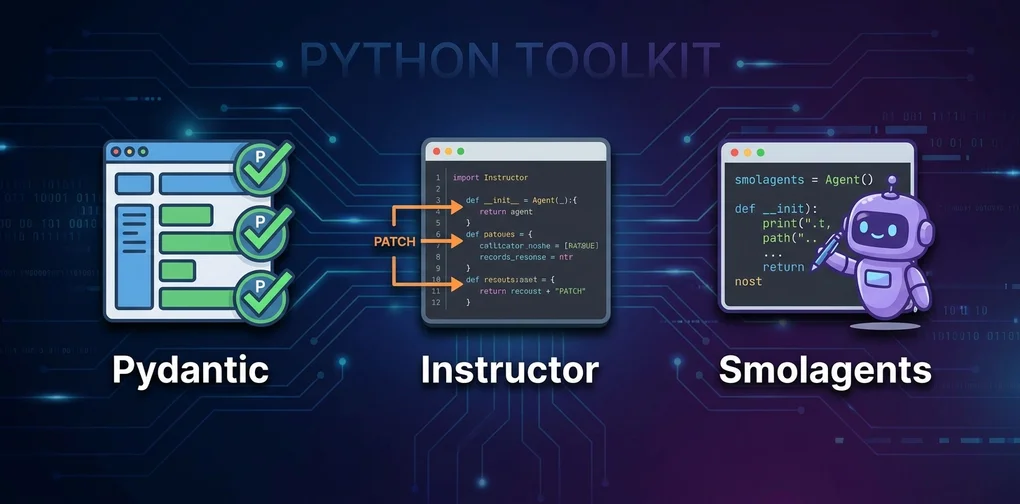
Three libraries in particular kept coming up: Pydantic AI, Instructor, and Smolagents. I’ve used all three in real projects, and here’s what I’ve learned.
First: These Three Libraries Don’t Compete
The most important thing to understand upfront is that these three operate at different layers.
- Instructor: A layer that “patches” existing LLM clients to guarantee structured Pydantic output. No agent loop.
- Pydantic AI: A type-safe agent framework with tool calling, dependency injection, and multi-agent support. Built by the Pydantic team.
- Smolagents: HuggingFace’s code-generation agent framework. Instead of calling tools via JSON, the agent writes and executes Python code directly.
The right question isn’t “which is best?” — it’s “which fits my situation?” That’s what this post is here to answer.
Instructor — Patch Your LLM Client, Don’t Replace It
Philosophy
Instructor doesn’t replace your existing LLM client (OpenAI, Anthropic, Gemini, etc.) with a new SDK. Instead, instructor.from_openai(client) patches it in one line, adding a response_model parameter.
import instructor
from openai import OpenAI
from pydantic import BaseModel

client = instructor.from_openai(OpenAI())

class UserProfile(BaseModel):
    name: str
    age: int
    skills: list[str]

profile = client.chat.completions.create(
    model="gpt-4o-mini",
    response_model=UserProfile,
    messages=[{"role": "user", "content": "John Smith, 30s, Python and Go developer"}]
)
# profile is a UserProfile instance. Pydantic-validated.
print(profile.name)  # "John Smith"
When validation fails, it automatically retries with the error message fed back to the model. max_retries controls the retry count.
What Makes It Great
1. Near-zero learning curve. If you’re already using the OpenAI SDK, you add one line. No new paradigm to internalize.
2. Solid multi-provider support. OpenAI, Anthropic, Google Gemini, Mistral, Cohere, Ollama, DeepSeek — 15+ providers. Change providers without restructuring your code.
3. Production-proven reliability. 3M+ monthly downloads, 11k+ GitHub stars, 100+ contributors. Complex nested schemas, list extraction, union types — all handled.
4. Streaming support. Type your output as Iterable[Model] to receive structured objects via streaming.
The Honest Limitations
Instructor is not an agent framework. No loops, no tool orchestration, no memory. It does one thing: extract structured data from a single LLM call. If you need an agent loop, look elsewhere.
Retry costs can surprise you. When a model repeatedly returns malformed output, you pay for every retry. I’ve seen complex nested schemas trigger 3–5 retries in the wild. The practical fix: cap max_retries at 1–2 and add fallback logic when it still fails.
Pydantic AI — When You Want Type-Safe Agents
Philosophy
Pydantic AI is an agent framework built by the Pydantic team, placing Python type hints at the center of agent design. Tools are type-safe, external services are injected via dependency injection, and outputs are validated Pydantic models.
from pydantic_ai import Agent
from pydantic_ai.models.openai import OpenAIModel
from pydantic import BaseModel
import httpx

class ResearchResult(BaseModel):
    summary: str
    sources: list[str]
    confidence: float

model = OpenAIModel("gpt-4o")
agent = Agent(model, output_type=ResearchResult)

@agent.tool
async def fetch_url(ctx, url: str) -> str:
    """Fetch the content of a given URL"""
    async with httpx.AsyncClient() as client:
        response = await client.get(url)
        return response.text[:2000]

result = await agent.run("Research Python 3.13's new features")
print(result.output.confidence)  # 0.0–1.0 range, validated
Dependency Injection Is the Killer Feature
The part I like most about Pydantic AI is dependency injection. Database connections, HTTP clients, API keys — inject them at initialization and your tools stay testable.
from dataclasses import dataclass
from pydantic_ai import Agent, RunContext

@dataclass
class AppDeps:
    db: Database
    http_client: httpx.AsyncClient

agent = Agent(model, deps_type=AppDeps, output_type=str)

@agent.tool
async def query_user(ctx: RunContext[AppDeps], user_id: int) -> dict:
    return await ctx.deps.db.get_user(user_id)
In tests, pass mock objects to AppDeps and you can validate tool logic without a single LLM call. That’s the kind of structural discipline that makes production codebases maintainable.
Five Output Modes
Pydantic AI offers five modes for structured output:
| Mode | Description | When to Use |
|---|---|---|
text | Plain text | Free-form answers |
tool | Tool-calling (default) | Most cases |
native | Model-native structured output | OpenAI o1, GPT-4o |
prompted | System prompt guidance | Models without tool support |
auto | Auto-select by model capability | Recommended default |
The Honest Limitations
It’s still not v1.0. A rapidly changing API is the main reason to hesitate before committing to it in production. Sub-1.0 means breaking changes are on the table at any point. I trust Pydantic’s quality bar, but watching for stabilization is smarter than rushing in.
Multi-agent scenarios are also limited. For complex orchestration, a more practical setup is LangGraph handling state and flow with Pydantic AI as the structured output layer inside each node. I covered the upper layer in the LangGraph vs CrewAI vs Dapr comparison guide — useful context if you’re designing a multi-agent system.
Smolagents — Let the LLM Write the Code
Philosophy
Smolagents takes the most distinctive approach. Typical agents decide “which tool to call with which args” via JSON. SmolAgents’ CodeAgent instead generates and executes Python code directly.
from smolagents import CodeAgent, DuckDuckGoSearchTool
from smolagents.models import LiteLLMModel

model = LiteLLMModel(model_id="gpt-4o")
agent = CodeAgent(
    tools=[DuckDuckGoSearchTool()],
    model=model
)

result = agent.run(
    "Research the major changes in Python 3.14 for 2026 and summarize them"
)
Instead of JSON like {"tool": "search", "query": "Python 3.14"}, the agent runs:
results = web_search("Python 3.14 changes 2026")
summary = "\n".join([r["snippet"] for r in results[:3]])
final_answer(summary)
Actual Python code.
Why Code Generation Wins
According to HuggingFace’s benchmarks:
- ~30% fewer LLM calls versus JSON tool-calling — sequential multi-tool workflows handled in one code block instead of one LLM call per step
- 44.2% on GAIA benchmark with GPT-4o (ranked #1 on validation set at the time)
- Conditional branching, loops, and error handling expressible directly in code
The Core Design — 1,000 Lines
smolagents’ core logic is approximately 1,000 lines. This is intentional. Built to be understood and modified, without unnecessary abstraction. For research teams and anyone who needs to dig into framework internals, that’s a significant advantage.
The Honest Limitations
Code execution is a security surface. CodeAgent uses E2BSandbox or LocalPythonInterpreter by default. In production, if user input can influence what code the agent generates, sandboxing is not optional.
Performance degrades sharply on smaller open-source models. GPT-4o or Claude Sonnet-class models produce solid code. Below 7B parameters, bugs creep in consistently. This is Smolagents’ biggest weakness in my assessment — its model dependency is significantly higher than Instructor or Pydantic AI.
Auth, rate limiting, logging — you build these yourself. Smolagents lives in HuggingFace’s experimental space; enterprise support and long-term API stability aren’t guaranteed.
For a view of how these patterns fit into a broader production agent architecture, Production-Grade AI Agent Design Principles covers the decision-making framework well.
Full Comparison Table
| Criterion | Instructor | Pydantic AI | Smolagents |
|---|---|---|---|
| Core Purpose | Structured extraction | Type-safe agent | Code-gen agent |
| Agent Loop | ❌ | ✅ | ✅ |
| Structured Output | ✅ Core feature | ✅ 5 output modes | ⚠️ Partial |
| Multi-Provider | ✅ 15+ | ✅ Major providers | ✅ via LiteLLM |
| Type Safety | ✅ Pydantic | ✅✅ Fully typed | ⚠️ Limited |
| Code Execution | ❌ | ❌ | ✅ Core feature |
| Learning Curve | Low | Medium | Medium |
| Production Readiness | ✅ High | ⚠️ v0.x | ⚠️ Experimental |
| Multi-Agent | ❌ | ⚠️ Basic | ⚠️ Limited |
| Core Complexity | Low | Medium | Low (1k lines) |
| Monthly Downloads | 3M+ | Fast-growing | Fast-growing |
| GitHub Stars | 11k+ | 8k+ | 6k+ |
Scenario-Based Decision Guide
Choose Instructor When
- You’re already using OpenAI/Anthropic SDK and only need structured output
- You need Pydantic objects from single LLM calls with no agent loop
- Production stability is non-negotiable (3M monthly downloads means battle-tested)
- The team’s existing SDK knowledge should carry over directly
Example use cases: User input extraction, document parsing, form auto-fill, query classification in RAG pipelines
Choose Pydantic AI When
- You want to design agent logic type-safely from the ground up
- You want testable code via dependency injection
- The team already knows Pydantic and wants consistent patterns
The v0.x risk is real. My take: try it on new projects. Don’t migrate existing production agents yet.
Choose Smolagents When
- You need code execution agents and can handle security sandboxing
- You’re implementing complex workflows that chain multiple tools sequentially
- You need to understand or customize the framework internals
- You’re experimenting with local open-source models
Hard prerequisite: Use GPT-4o or Claude Sonnet-tier models. Code generation quality determines agent quality here.
Combination Patterns
These three play well together.
Pattern 1: Instructor + LangGraph
- LangGraph manages state and flow
- Instructor guarantees structured output at each LLM call node
from langgraph.graph import StateGraph
import instructor

client = instructor.from_anthropic(anthropic_client)

def analyze_node(state):
    result = client.messages.create(
        model="claude-sonnet-4-6",
        response_model=AnalysisResult,
        messages=[...]
    )
    return {"analysis": result}
Pattern 2: Pydantic AI as the structured layer inside a larger orchestrator
Pattern 3: Smolagents standalone for research/code execution agents with E2B sandboxing
My Conclusion — I Use All Three, Depending on Context
Honestly? I use all three. They’re good at different things.
Instructor is production-safe right now. Whenever I need structured data from an LLM call, it’s my first reach.
Pydantic AI has the right direction. The v0.x risk is real, but I’m experimenting with it as the agent layer on new projects. When v1.0 lands, I’ll use it more aggressively.
Smolagents comes out for specific cases where code execution is the right approach. The model dependency and infrastructure-from-scratch cost are real considerations.
If someone asks “which is best?” — my answer: Instructor for structured extraction, Pydantic AI for type-safe agent loops, Smolagents for code-execution agents. That’s the whole decision tree.
The LLM API pricing comparison is worth reading alongside this. Whichever library you pick, model selection drives cost dramatically — especially Instructor retry costs and Smolagents code-generation loop overhead.
Was this helpful?
Your support helps me create better content. Buy me a coffee! ☕
Related Articles
-
AI Agent Framework Comparison 2026: LangGraph vs CrewAI vs Dapr Selection Guide
If you're wondering how to combine the library layer covered here (Pydantic AI, Instructor) with orchestration frameworks like LangGraph or CrewAI, the upper-layer comparison guide is the logical next read.

-
LLM API Pricing Comparison 2026 — GPT-5 vs Claude vs Gemini vs DeepSeek Real Cost Breakdown
Estimating Instructor's retry costs and Smolagents' code-generation loop overhead requires model pricing data. This guide is the starting point for that calculation.

-
9 Design Principles for Production-Grade AI Agent Deployment — A Practical Guide from the Latest arXiv Research
Once you've picked a library, the next question is how to design the full agent system on top of it. Production-grade AI agent design principles offers that answer.