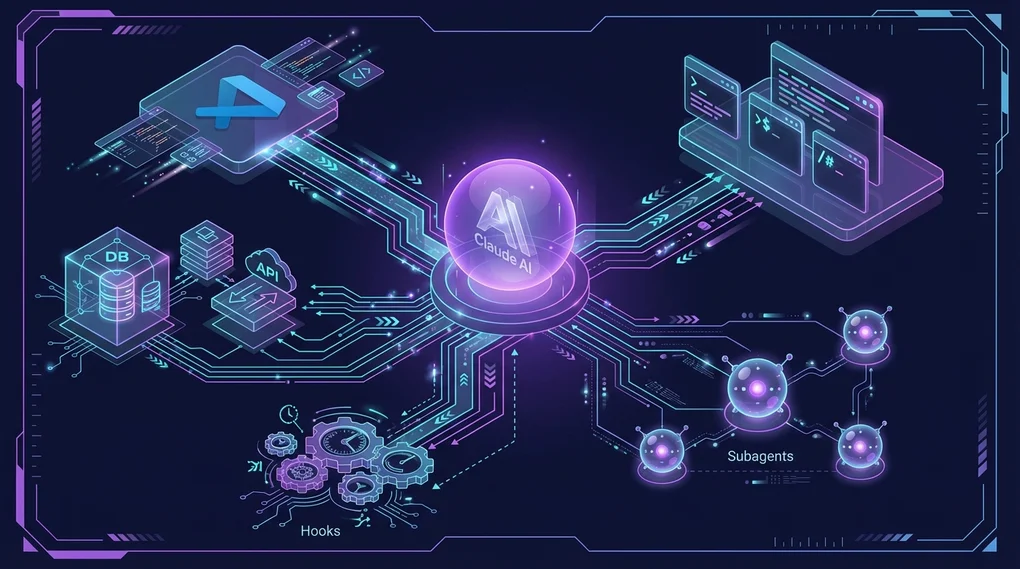
Complete Guide to Claude Code Plugins: From Official Plugins to Community Marketplaces
A deep dive into the Claude Code plugin system. Explore 13 official plugins in detail, 100+ community marketplace plugins, actual plugin.json structure and installation methods with practical examples.
Overview
Claude Code is an agentic coding tool developed by Anthropic. Through its plugin system, you can install slash commands, specialized agents, skills, and hooks as a single package.
This post provides an in-depth analysis of the 13 official plugins, over 100 community marketplace plugins, and the actual plugin structure.
★ Insight
- 13 Official Plugins: Managed in the anthropics/claude-code repository
- Community Marketplaces: 100+ plugins across 13 categories
- Plugin Structure: commands/, agents/, skills/, hooks/, .mcp.json
Installing Plugins
Adding Marketplaces
Claude Code uses a Git repository-based marketplace system.
# Add community marketplaces
/plugin marketplace add ccplugins/awesome-claude-code-plugins
/plugin marketplace add kivilaid/plugin-marketplace
/plugin marketplace add ananddtyagi/cc-marketplace

# List registered marketplaces
/plugin marketplace list
Installing Plugins
# Basic installation
/plugin install commit-commands

# Install from a specific marketplace
/plugin install ultrathink@cc-marketplace

# List installed plugins
/plugin list

# Interactive installation (menu-driven)
/plugin
★ Insight
- Minimum version requirement: Claude Code 1.0.33+
- Storage location: Project level (.claude/) or user level (~/.claude/)
- Development mode: Test locally with
cc --plugin-dir /path/to/plugin
Deep Dive into 13 Official Plugins
Official plugins from the anthropics/claude-code repository managed by Anthropic.
1. commit-commands - Git Workflow Automation
/plugin install commit-commands3 Commands Provided:
| Command | Function |
|---|---|
/commit | Analyzes changes and auto-generates commit messages matching repository style |
/commit-push-pr | Branch creation → Commit → Push → PR creation in one go |
/clean_gone | Cleans up local branches deleted from remote, including worktrees |
How /commit Works:
- Check changes with
git status - Analyze staged/unstaged changes with
git diff - Understand recent commit style with
git log - Generate commit message matching repository conventions
- Exclude sensitive files like
.env,credentials.json
How /commit-push-pr Works:
- Automatically creates new branch if on main
- Analyzes entire commit history of branch (not just latest commit)
- Auto-generates PR description (Summary + Test plan)
- Creates PR via GitHub CLI (
gh) and returns URL
# Usage example
git add .
/commit
# → Suggests "feat(auth): add JWT validation middleware"
# → Approve? [Y/n]
2. feature-dev - 7-Phase Feature Development Workflow
/plugin install feature-dev7-Phase Structured Workflow:
graph TD
    A["1. Discovery<br/>Clarify requirements"] --> B["2. Codebase Exploration<br/>2-3 code-explorer agents in parallel"]
    B --> C["3. Clarifying Questions<br/>Edge cases, error handling"]
    C --> D["4. Architecture Design<br/>2-3 code-architect agents in parallel"]
    D --> E["5. Implementation<br/>Start after explicit approval"]
    E --> F["6. Quality Review<br/>3 code-reviewer agents in parallel"]
    F --> G["7. Summary<br/>Change summary and next steps"]
3 Specialized Agents:
| Agent | Role |
|---|---|
code-explorer | Traces execution paths, analyzes architecture layers, generates essential file lists |
code-architect | Designs multiple approaches: minimal changes / clean architecture / pragmatic balance |
code-reviewer | Focused reviews on simplicity/DRY, bugs/correctness, conventions/abstractions |
# Usage example
/feature-dev Add OAuth login with Google
# → Proceeds through 7 phases, user confirmation at each step
When to Use?
- New features spanning multiple files
- Complex tasks requiring architecture decisions
- Features with unclear requirements
3. code-review - Confidence-Based Automated PR Review
/plugin install code-reviewHow It Works:
- Auto-skips closed/draft/trivial/already-reviewed PRs
- Collects CLAUDE.md guideline files
- Runs 4 parallel agents:
- Agent #1, #2: CLAUDE.md compliance (duplicate verification)
- Agent #3: Bug detection (within PR change scope only)
- Agent #4: Git blame history analysis
- Assigns confidence score (0-100) to each issue
- Filters out scores below 80 (removes false positives)
Confidence Score Criteria:
| Score | Meaning |
|---|---|
| 0 | No confidence, likely false positive |
| 25 | Some confidence, might be real |
| 50 | Moderate confidence, real but minor |
| 75 | High confidence, real and important |
| 100 | Absolute confidence, definitely a problem |
# Terminal output
/code-review

# Post as PR comment
/code-review --comment
Filtered False Positives:
- Issues that existed before the PR
- Issues linters can catch
- General quality issues (if not in CLAUDE.md)
- Code with lint ignore comments
4. hookify - Create Hooks Without Coding
/plugin install hookify4 Commands Provided:
| Command | Function |
|---|---|
/hookify [description] | Create hooks with natural language |
/hookify (no args) | Analyze conversation to auto-discover patterns to improve |
/hookify:list | List active rules |
/hookify:configure | Enable/disable rules |
Hook File Format (.claude/hookify.*.local.md):
---
name: block-dangerous-rm
enabled: true
event: bash
pattern: rm\s+-rf
action: block  # warn or block
---

⚠️ **Dangerous rm command detected!**

This command could delete important files.
- Verify the path is correct
- Make sure you have backups
Event Types:
bash: On Bash command executionfile: On Edit/Write tool usagestop: When Claude tries to end workprompt: On user prompt submissionall: All events
# Usage example
/hookify Warn me when console.log is used in TypeScript files
# → Creates .claude/hookify.warn-console-log.local.md
5. plugin-dev - 8-Phase Plugin Development Tool
/plugin install plugin-dev8-Phase Plugin Creation Workflow:
- Discovery: Understand plugin purpose and requirements
- Component Planning: Decide on skills/commands/agents/hooks/MCP needed
- Detailed Design: Detailed design for each component
- Structure Creation: Create directories and manifest
- Component Implementation: AI-assisted implementation
- Validation: plugin-validator and component-specific checks
- Testing: Real-world testing in Claude Code
- Documentation: Finalize README and prepare for distribution
7 Core Skills:
| Skill | Trigger Keywords | Content |
|---|---|---|
| Hook Development | ”create a hook”, “PreToolUse hook” | Prompt/command hooks, all event types |
| MCP Integration | ”add MCP server”, “.mcp.json” | stdio/SSE/HTTP/WebSocket server setup |
| Plugin Structure | ”plugin.json manifest” | Standard directory structure, auto-discovery |
| Plugin Settings | ”.local.md files” | Per-project settings, YAML frontmatter |
| Command Development | ”create a slash command” | Command structure, argument handling |
| Agent Development | ”create an agent” | Agent frontmatter, system prompts |
| Skill Development | ”create a skill” | SKILL.md, progressive disclosure |
# Usage example
/plugin-dev:create-plugin Database migration management plugin
# → 8-phase guide proceeds
6. frontend-design - Auto-Activating UI Design Skill
/plugin install frontend-designA skill that auto-activates during frontend work.
Core Principles:
- Bold aesthetic choices: Avoid generic AI styles
- Distinctive typography and color palettes
- High-impact animations and visual details
- Context-aware implementation
# Auto-activation examples
"Create a dashboard for a music streaming app"
"Build a landing page for an AI security startup"
# → frontend-design skill auto-applies
7. pr-review-toolkit - 6 Specialized Review Agents
/plugin install pr-review-toolkit6 Specialized Agents:
- Comment reviewer
- Test reviewer
- Error handling reviewer
- Type reviewer
- Code quality reviewer
- Comprehensive reviewer
/pr-review-toolkit:review-pr8. security-guidance - Security Warning Hook
/plugin install security-guidance9 Security Patterns Monitored:
- Injection attacks
- XSS (Cross-site scripting)
- SQL injection
- Command injection
- Path traversal
- Insecure deserialization
- Sensitive data exposure
- Weak cryptography
- Authentication/authorization flaws
Real-time warnings before tool execution via PreToolUse hook.
Other Official Plugins
| Plugin | Description |
|---|---|
agent-sdk-dev | Claude Agent SDK development kit (/new-sdk-app) |
claude-opus-4-5-migration | Auto-migration to Opus 4.5 |
explanatory-output-style | Educational insights about implementation choices |
learning-output-style | Learning mode requesting 5-10 line code contributions |
ralph-wiggum | Self-referential AI loops for iterative development |
Community Marketplace Analysis
Major Marketplaces
| Marketplace | Plugin Count | Features |
|---|---|---|
| ccplugins/awesome-claude-code-plugins | 100+ | 13 categories, largest scale |
| kivilaid/plugin-marketplace | 87+ | Strong in document processing tools |
| ananddtyagi/cc-marketplace | Dynamic updates | Live database integration |
| ivan-magda/claude-code-marketplace | Swift-focused | Swift 6 migration, iOS development |
Key Plugins by Category (ccplugins)
Workflow Orchestration (8):
ultrathink: Coordinator directing 4 specialized sub-agentslyra: Master-level AI prompt optimization expertproblem-solver-specialist: Systematic problem solving
Code Quality & Testing (16):
bug-detective: Step-by-step systematic debuggingdouble-check: Dual verification of changestest-writer-fixer: Test writing and fixingunit-test-generator: Automatic unit test generationdatabase-performance-optimizer: DB performance optimization
Git Workflow (14):
fix-github-issue: Auto-fix based on GitHub issuescreate-pr: PR creation automationupdate-branch-name: Branch name convention enforcementhusky: Git hook setup
Documentation (8):
analyze-codebase: Comprehensive codebase analysischangelog-generator: Auto-generate changelogsupdate-claudemd: Auto-update CLAUDE.mdopenapi-expert: OpenAPI spec expert
Security & Compliance (7):
audit: Codebase security auditenterprise-security-reviewer: Enterprise-grade security reviewlegal-compliance-checker: Legal compliance verificationdata-privacy-engineer: Data privacy
Development Engineering (15):
ai-engineer: AI feature development specialistbackend-architect: Backend architecture designflutter-mobile-app-dev: Flutter mobile appsreact-native-dev: React Native development
kivilaid Marketplace Specialized Tools
Document Processing Suite:
xlsx: Excel generation with formulas and data visualizationdocx: Word documents with change tracking and formattingpptx: PowerPoint with layouts and templatespdf: PDF extraction, merging, splitting, form processing
Creative & Design:
algorithmic-art: p5.js-based generative artcanvas-design: PNG/PDF visual art generationslack-gif-creator: Animated GIFs for Slack
davila7 Toolkit (10):
- Git workflow, Supabase, Next.js/Vercel
- Testing, security audit, AI/ML, DevOps
- Document generation, performance optimization, project management
Plugin Structure Details
Standard Directory Structure
my-plugin/
├── .claude-plugin/
│   └── plugin.json              # Plugin metadata (required)
├── commands/                    # Slash commands
│   ├── command-name.md
│   └── another-command.md
├── agents/                      # Autonomous agents
│   ├── agent-name.md
│   └── another-agent.md
├── skills/                      # Reusable skills
│   ├── skill-name/
│   │   ├── SKILL.md
│   │   ├── references/
│   │   ├── examples/
│   │   └── scripts/
├── hooks/                       # Event hooks
│   ├── hooks.json
│   └── my-hook.sh
├── .mcp.json                    # MCP server configuration (optional)
└── README.md
plugin.json Example
{
  "name": "my-team-plugin",
  "version": "1.0.0",
  "description": "Team development workflow plugin",
  "commands": ["commands/"],
  "agents": ["agents/"],
  "skills": ["skills/"],
  "hooks": ["hooks/"]
}
Command File Format (YAML frontmatter + Markdown)
---
description: "Performs code review"
argument-hint: "[--comment]"
allowed-tools:
  - Read
  - Grep
  - Bash
---

# Code Review Command

## Instructions
1. Analyze changes in current branch
2. Check CLAUDE.md guidelines
3. Report issues with confidence scores
...
Agent File Format
---
name: code-explorer
description: |
  An agent that deeply analyzes codebases.

  <example>
  User: "Trace how authentication flow works"
  → code-explorer is invoked
  </example>
model: sonnet
color: blue
tools:
  - Read
  - Grep
  - Glob
---

# System Prompt

You are a codebase exploration expert...
Skill SKILL.md Format
---
description: |
  Frontend UI design skill.

  <trigger_phrases>
  - "create a dashboard"
  - "landing page design"
  - "UI component generation"
  </trigger_phrases>
auto_invoke: true
---

# Frontend Design Skill

## Core Principles
1. Avoid generic AI styles
2. Bold aesthetic choices
...
.mcp.json MCP Server Configuration
{
  "mcpServers": {
    "postgresql": {
      "command": "npx",
      "args": ["-y", "@modelcontextprotocol/server-postgres"],
      "env": {
        "DATABASE_URL": "${DATABASE_URL}"
      }
    },
    "browser": {
      "type": "sse",
      "url": "https://mcp.example.com/browser",
      "headers": {
        "Authorization": "Bearer ${API_KEY}"
      }
    }
  }
}
MCP Server Types:
stdio: Local process (most common)sse: Server-Sent Events (hosting/OAuth)http: REST APIwebsocket: Real-time bidirectional
Plugin Management Commands
# Install
/plugin install <name>
/plugin install <name>@<marketplace>

# Uninstall
/plugin uninstall <name>

# List
/plugin list

# Update
/plugin update <name>
/plugin update --all

# Marketplace management
/plugin marketplace add <owner/repo>
/plugin marketplace remove <name>
/plugin marketplace list

# Interactive menu
/plugin
Recommended Plugin Combinations by Scenario
Starting a New Project
/plugin install commit-commands     # Git workflow
/plugin install hookify             # Enforce team conventions
/plugin install security-guidance   # Security warnings
Focused Feature Development
/plugin install feature-dev         # 7-phase workflow
/plugin install frontend-design     # UI auto-skill (for frontend)
Automating Code Reviews
/plugin install code-review         # Confidence-based review
/plugin install pr-review-toolkit   # 6 specialized agents
Plugin Development
/plugin install plugin-dev # 8-phase development guideImportant Considerations
Trust Verification
- Official plugins: Managed in
anthropics/claude-coderepository - Community plugins: Requires direct code review
- Plugins can access local filesystem
Version Requirements
# Requires Claude Code 1.0.33+
claude --version
MCP Server Authentication
# Set API keys via environment variables
export DATABASE_URL="postgresql://..."
export API_KEY="sk-..."
Summary
The Claude Code plugin system provides a rich ecosystem of 13 official plugins and 100+ community plugins.
<strong>Key Takeaways</strong>:
| Purpose | Recommended Plugin |
|---|---|
| Git Workflow Automation | commit-commands (official) |
| Feature Development Automation | feature-dev (official, 7-phase) |
| Code Review Automation | code-review (official, confidence-based) |
| Custom Rule Creation | hookify (official, no-coding) |
| Security Warnings | security-guidance (official) |
| Plugin Development | plugin-dev (official, 8-phase) |
| UI Design | frontend-design (official, auto) |
| Document Processing | xlsx, docx, pptx, pdf (kivilaid) |
| Comprehensive Orchestration | ultrathink (ccplugins) |
References
Was this helpful?
Your support helps me create better content. Buy me a coffee.
Related Articles
-
Anthropic Agent Skills Practical Guide: From Implementation to ROI
Covers similar topics in automation, AI/ML, DevOps, architecture with comparable difficulty.

-
Claude Code CLI Migration Guide: Comparing Copilot, Gemini, and Codex
Covers similar topics in automation, AI/ML, DevOps, architecture with comparable difficulty.

-
Auto-Coding with Jules: The Complete Guide to Google's Autonomous AI Coding Agent
Covers similar topics in automation, AI/ML, DevOps, architecture with comparable difficulty.